# IMDB: Automated Watchlist Sync (Request Automation)

[![Screenshot 2026-01-26 at 21.28.51.png](https://bookstack.notflix.pknw1.co.uk/uploads/images/gallery/2026-01/scaled-1680-/screenshot-2026-01-26-at-21-28-51.png)](https://bookstack.notflix.pknw1.co.uk/uploads/images/gallery/2026-01/screenshot-2026-01-26-at-21-28-51.png)

#### **What does it do? \[tl/dr; <span style="color: rgb(185, 106, 217);">it auto-requests your IMDB lists</span>\]**

##### You can maintain lists on IMDB for things like upcoming movies or recommendations from your friends... its a way for you to keep a reminder of what you might want to watch

##### If you provide your list ID - and it is a public list:

1. ##### Your list will get synced using llst-sync to the Jellyfin Requests system (Jellyseer )
2. ##### Your list will be pulled every day for changes
3. ##### Each movie onyour list will be checked in Notflix
    
    
    1. ##### If it is available, it does nothing extra
    2. ##### if it is not available in Notflix but can be downloaded, it will be downloaded and added automcatically
    3. ##### if it is not available to download, it will be searched for each day until it is..

##### This is a process for users to request and add content that they want 

<details id="bkmrk-login-to-imdb-and-cr"><summary>Login to IMDB and create a new public list</summary>

<table border="1" style="border-collapse: collapse; width: 100%;"><colgroup><col style="width: 38.1797%;"></col><col style="width: 61.8183%;"></col></colgroup><tbody><tr><td>  
</td><td>  
</td></tr><tr><td>- [ ] Open [https://imdb.com](https://imdb.com) and login
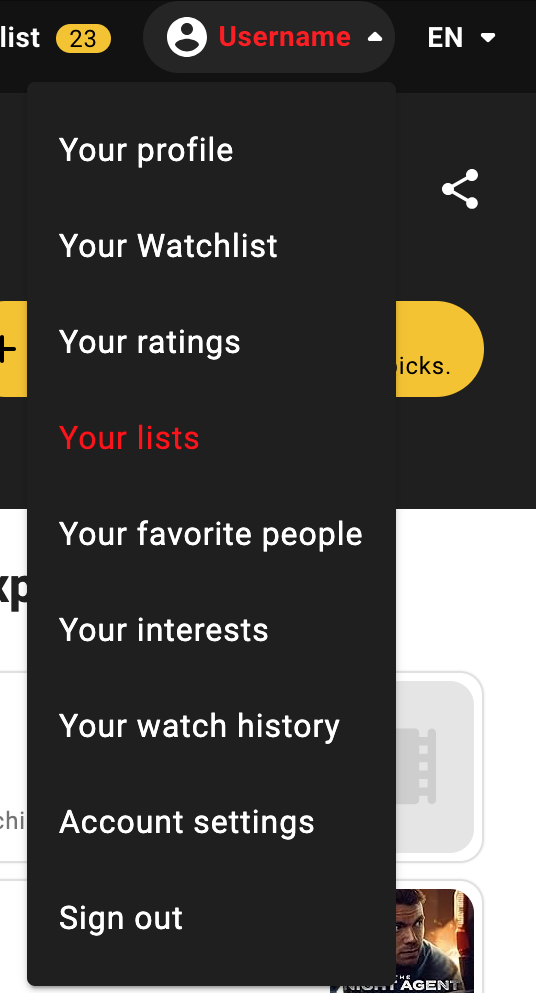
- [ ] Click your username

</td><td>[![01.png](https://bookstack.notflix.pknw1.co.uk/uploads/images/gallery/2026-01/scaled-1680-/01.png)](https://bookstack.notflix.pknw1.co.uk/uploads/images/gallery/2026-01/01.png)</td></tr><tr><td>- [ ] Scroll down and select Your Lists

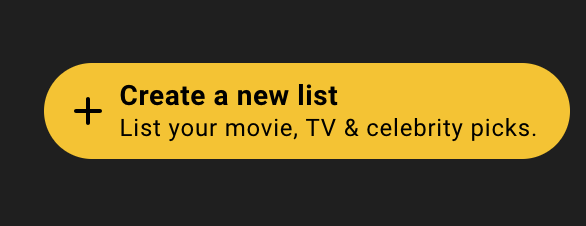
</td><td>[![02.png](https://bookstack.notflix.pknw1.co.uk/uploads/images/gallery/2026-01/scaled-1680-/02.png)](https://bookstack.notflix.pknw1.co.uk/uploads/images/gallery/2026-01/02.png)</td></tr><tr><td>- [ ] Either select and existing list
- [ ] or Create a new list

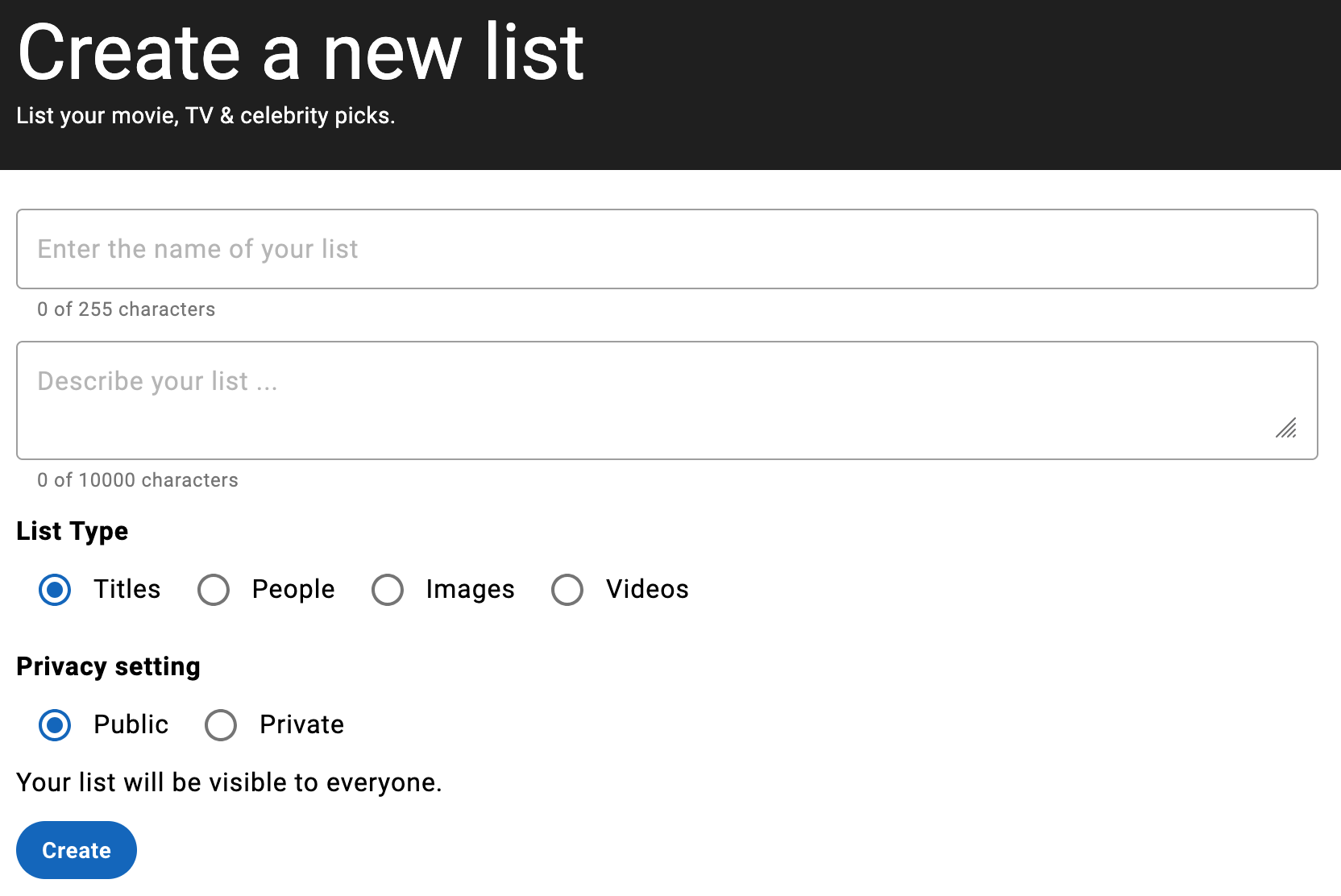
</td><td>[![03.png](https://bookstack.notflix.pknw1.co.uk/uploads/images/gallery/2026-01/scaled-1680-/03.png)](https://bookstack.notflix.pknw1.co.uk/uploads/images/gallery/2026-01/03.png)</td></tr><tr><td>- [ ] Add details to create the list
- [ ] **you MUST select a public list**

</td><td>[![04.png](https://bookstack.notflix.pknw1.co.uk/uploads/images/gallery/2026-01/scaled-1680-/04.png)](https://bookstack.notflix.pknw1.co.uk/uploads/images/gallery/2026-01/04.png)</td></tr><tr><td>- [ ] Once created, grab the list ID from the location bar in your browser

</td><td>[![05.png](https://bookstack.notflix.pknw1.co.uk/uploads/images/gallery/2026-01/scaled-1680-/05.png)](https://bookstack.notflix.pknw1.co.uk/uploads/images/gallery/2026-01/05.png)</td></tr></tbody></table>

</details><details id="bkmrk-add-your-list-id-for"><summary>Add your list ID for automatic requests</summary>

<table border="1" style="border-collapse: collapse; width: 100%;"><colgroup><col style="width: 38.8088%;"></col><col style="width: 61.1912%;"></col></colgroup><tbody><tr><td>  
</td><td>  
</td></tr><tr><td>- [ ] go to [https://access.pknw1.co.uk](https://access.pknw1.co.uk)
- [ ] login with your notflix account
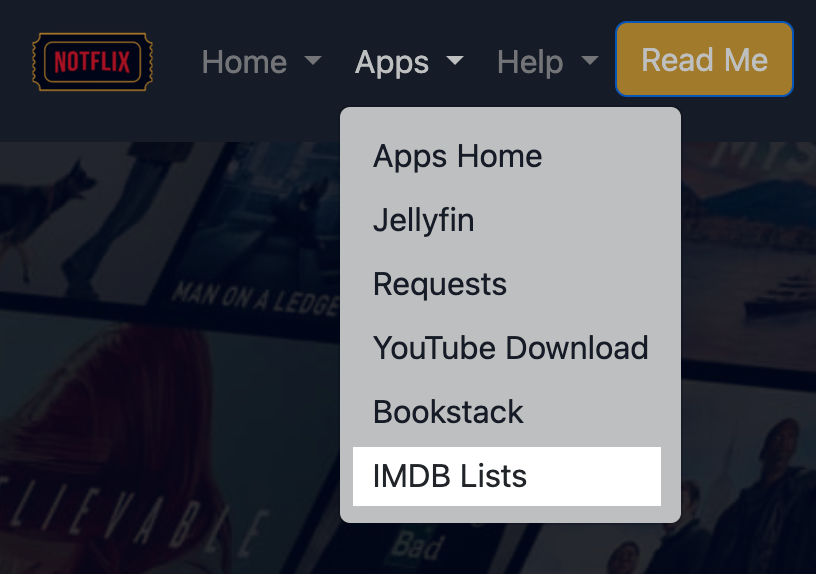
- [ ] Select the IMDB Lists from the Apps menu
- [ ] or use this [link](https://access.pknw1.co.uk/imdb/lists)

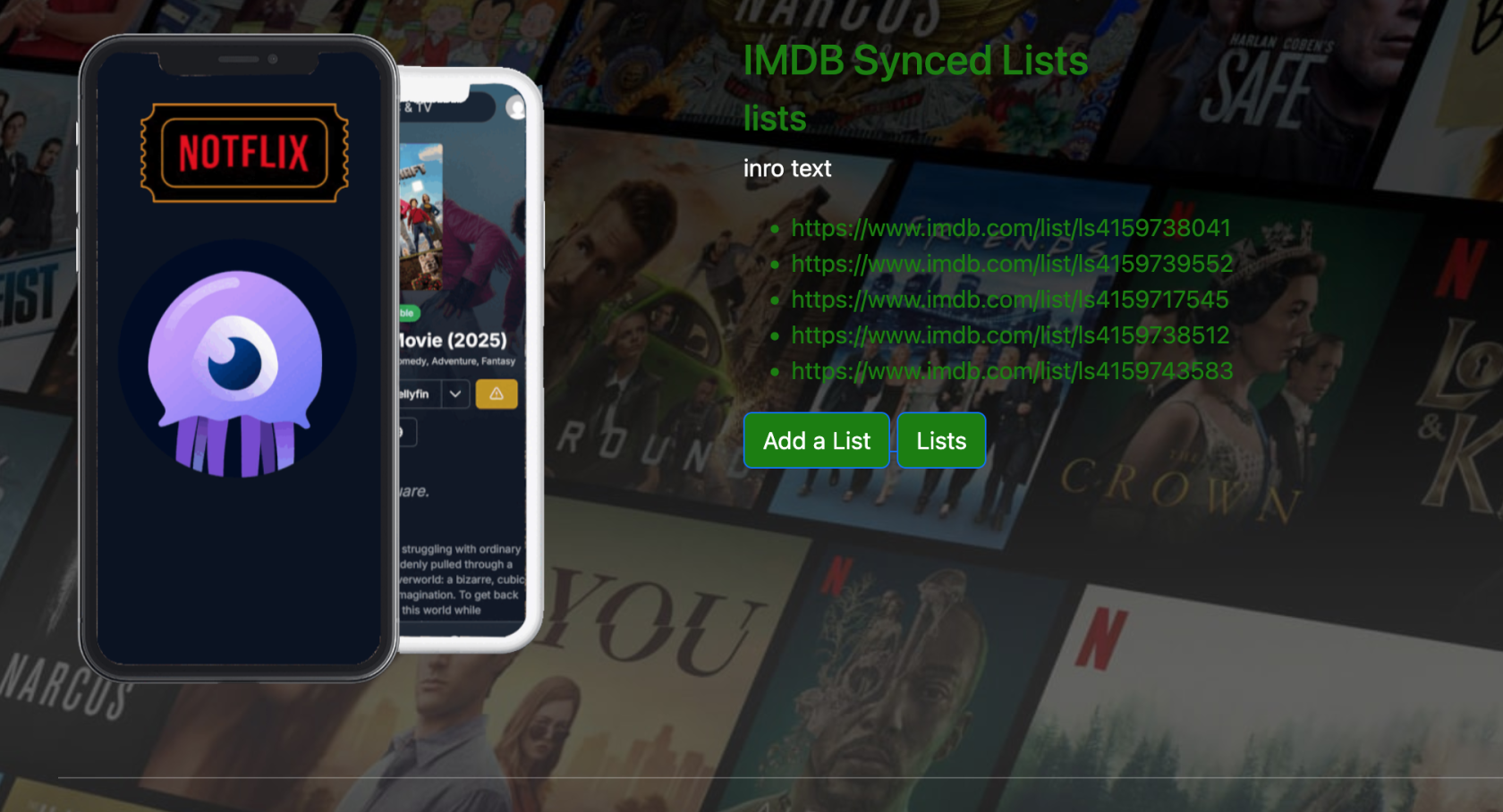
</td><td>[![a.png](https://bookstack.notflix.pknw1.co.uk/uploads/images/gallery/2026-01/scaled-1680-/pTEa.png)](https://bookstack.notflix.pknw1.co.uk/uploads/images/gallery/2026-01/pTEa.png)</td></tr><tr><td>- [ ] You will see a list of all lists currently being synced from all users

</td><td>[![b.png](https://bookstack.notflix.pknw1.co.uk/uploads/images/gallery/2026-01/scaled-1680-/b.png)](https://bookstack.notflix.pknw1.co.uk/uploads/images/gallery/2026-01/b.png)</td></tr><tr><td>- [ ] Click the [Add a List](https://access.pknw1.co.uk/dynamic/form/list) button

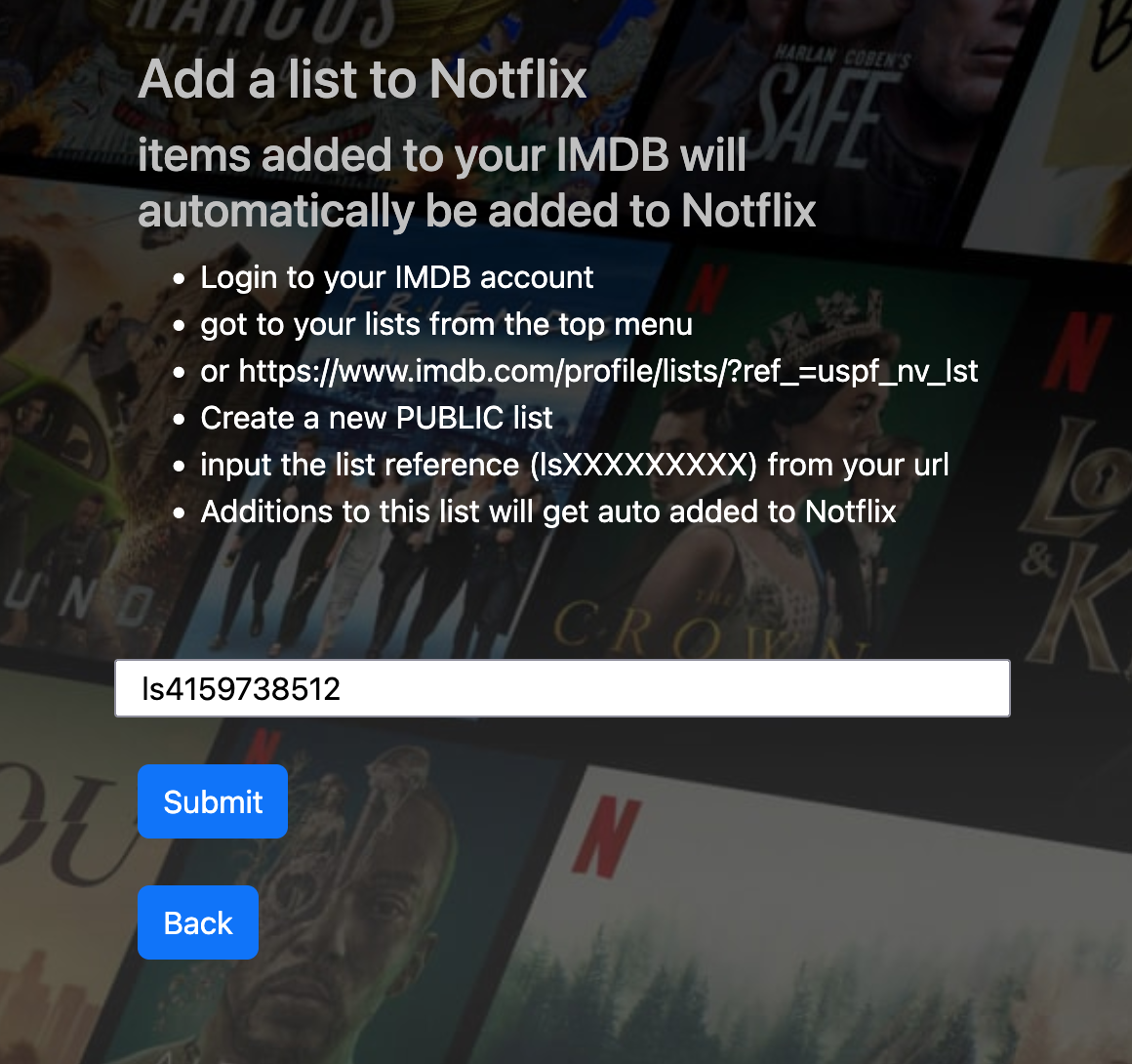
</td><td>[![c.png](https://bookstack.notflix.pknw1.co.uk/uploads/images/gallery/2026-01/scaled-1680-/c.png)](https://bookstack.notflix.pknw1.co.uk/uploads/images/gallery/2026-01/c.png)</td></tr><tr><td>- [ ] Enter your IMDB List ID and hit submit
- [x] Done

</td><td>[![d.png](https://bookstack.notflix.pknw1.co.uk/uploads/images/gallery/2026-01/scaled-1680-/d.png)](https://bookstack.notflix.pknw1.co.uk/uploads/images/gallery/2026-01/d.png)</td></tr></tbody></table>

</details>#### Alternatively **\[tl/dr; <span style="color: rgb(185, 106, 217);">use the builtin search in Jellyfin to request</span>\]**


[![Screenshot 2026-01-26 at 21.59.53.png](https://bookstack.notflix.pknw1.co.uk/uploads/images/gallery/2026-01/scaled-1680-/screenshot-2026-01-26-at-21-59-53.png)](https://bookstack.notflix.pknw1.co.uk/uploads/images/gallery/2026-01/screenshot-2026-01-26-at-21-59-53.png)

##### You can search and request missing media from within Jellyfin

<details id="bkmrk-search-for-a-movie-a"><summary>Search for a movie and it's already downloaded</summary>

<table border="1" style="border-collapse: collapse; width: 100%;"><colgroup><col style="width: 38.8088%;"></col><col style="width: 61.1912%;"></col></colgroup><tbody><tr><td>  
</td><td>  
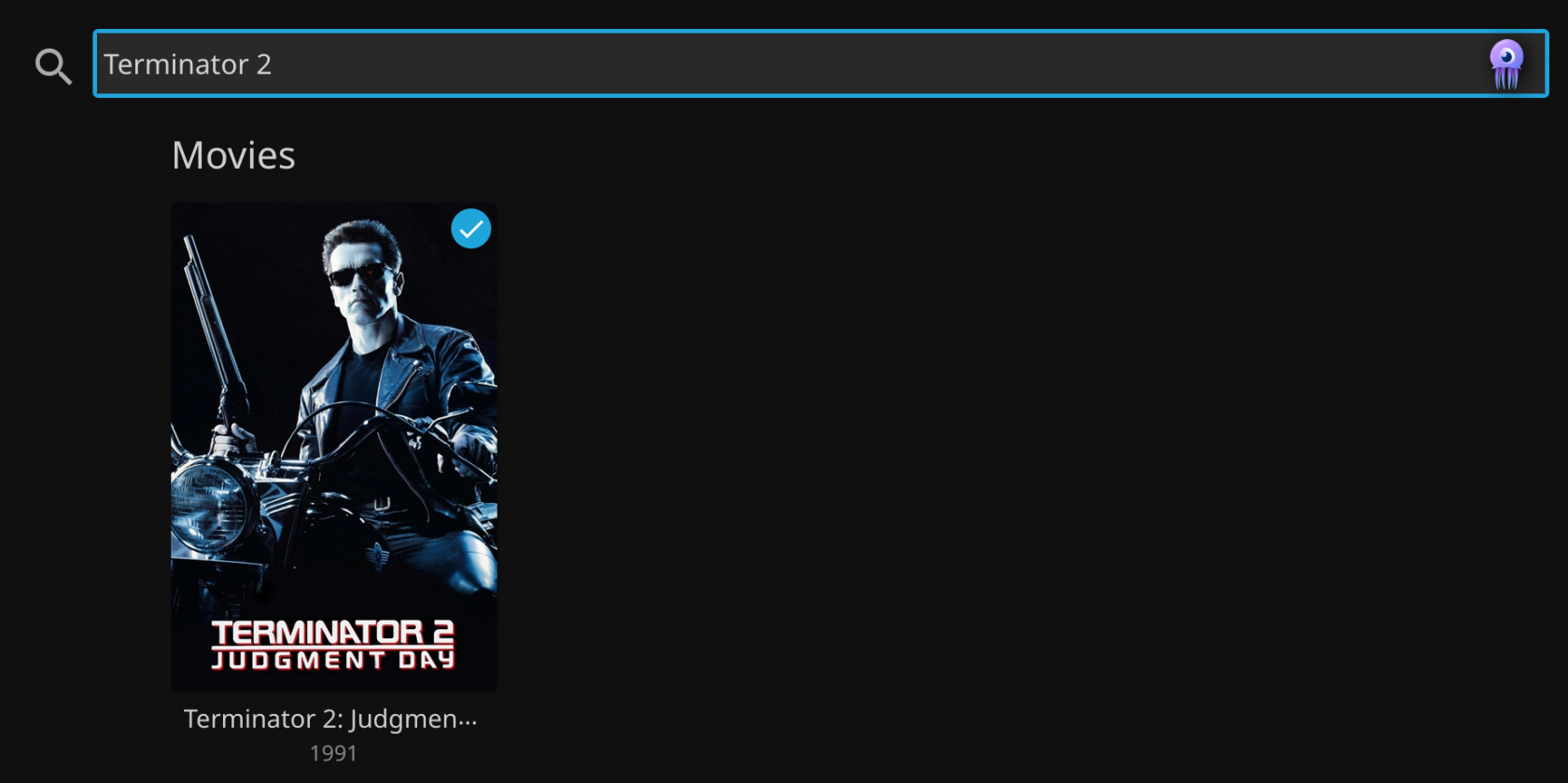
</td></tr><tr><td>- [ ] Search for what you want to watch

</td><td>[![aa.png](https://bookstack.notflix.pknw1.co.uk/uploads/images/gallery/2026-01/scaled-1680-/aa.png)](https://bookstack.notflix.pknw1.co.uk/uploads/images/gallery/2026-01/aa.png)</td></tr><tr><td>- [x] If the movie is availablel on Jellyfin, you will be presented with the post to click

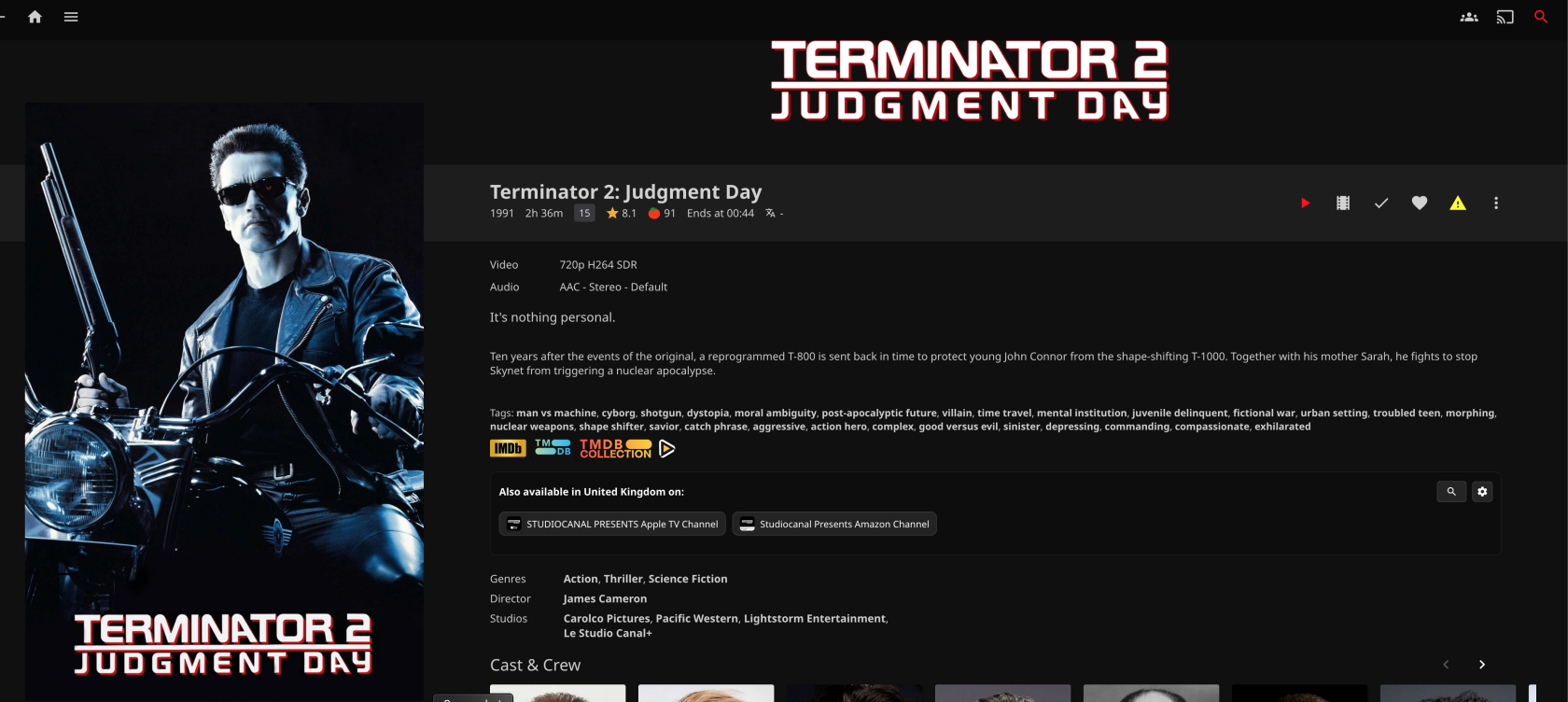
</td><td>[![Screenshot 2026-01-26 at 22.04.27.png](https://bookstack.notflix.pknw1.co.uk/uploads/images/gallery/2026-01/scaled-1680-/screenshot-2026-01-26-at-22-04-27.png)](https://bookstack.notflix.pknw1.co.uk/uploads/images/gallery/2026-01/screenshot-2026-01-26-at-22-04-27.png)</td></tr><tr><td>- [ ] The movie page has links for trailers etc

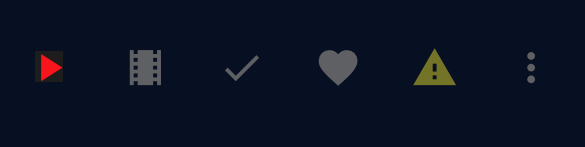
</td><td>[![watch.png](https://bookstack.notflix.pknw1.co.uk/uploads/images/gallery/2026-01/scaled-1680-/watch.png)](https://bookstack.notflix.pknw1.co.uk/uploads/images/gallery/2026-01/watch.png)</td></tr><tr><td>- [ ] You can click play to watch

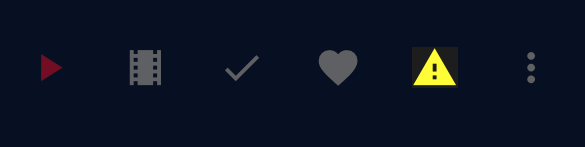
</td><td>[![play.png.png](https://bookstack.notflix.pknw1.co.uk/uploads/images/gallery/2026-01/scaled-1680-/play-png.png)](https://bookstack.notflix.pknw1.co.uk/uploads/images/gallery/2026-01/play-png.png)</td></tr><tr><td>- [ ] There is also an option for users to send feedback or report issues with any movie

#### <span style="color: rgb(224, 62, 45);">Please Report **ANY** Issues</span>

- I need users to report any issues with the video or sound
- Any issues with subtitles
- Any issues with skipping
- Any issues with intrusive ads (or the earlier releases)

I cant check every movie so this really helps

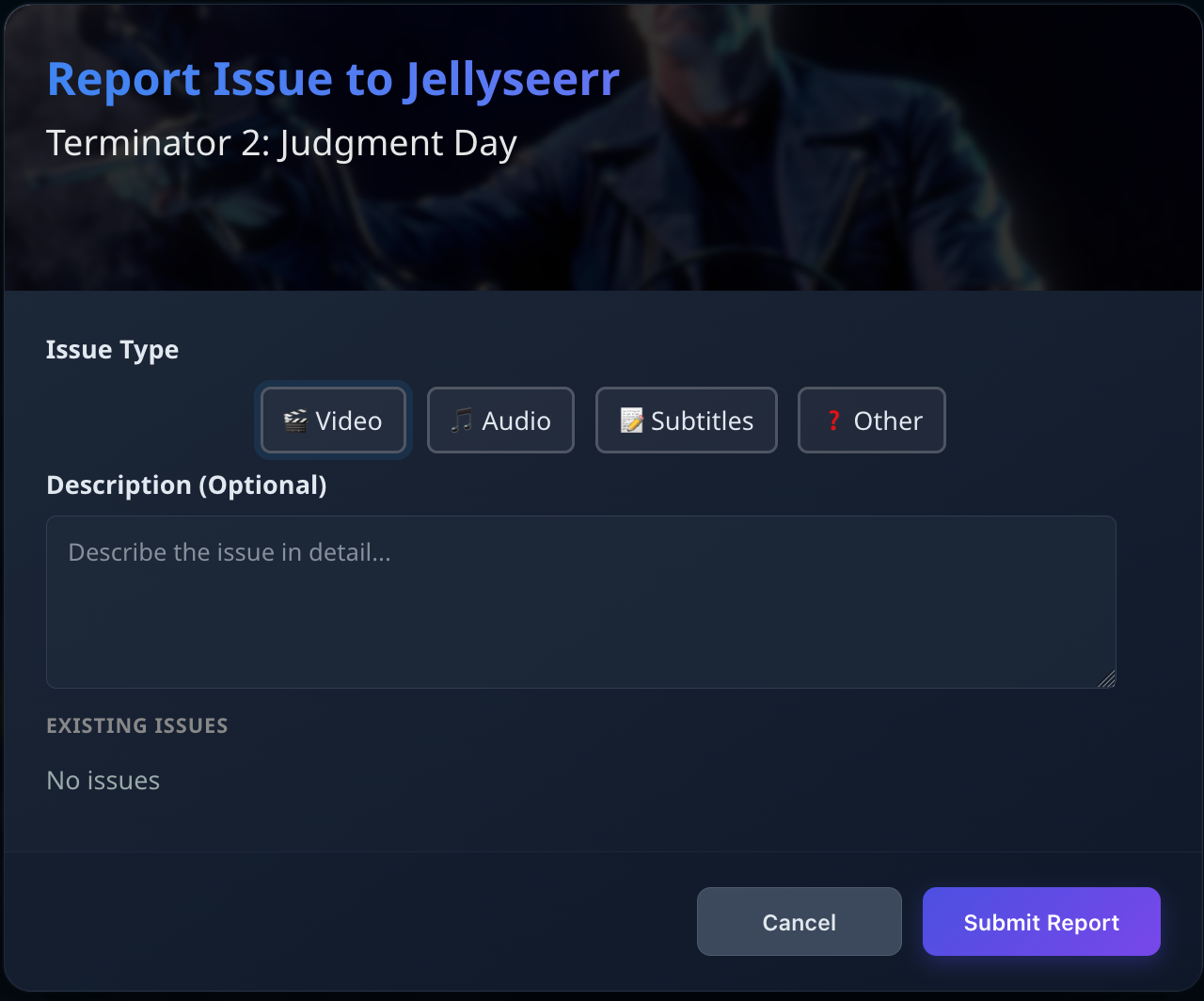
</td><td>[![report.png](https://bookstack.notflix.pknw1.co.uk/uploads/images/gallery/2026-01/scaled-1680-/report.png)](https://bookstack.notflix.pknw1.co.uk/uploads/images/gallery/2026-01/report.png)</td></tr><tr><td>- [ ] Add any detail you can

</td><td>[![reporta.png](https://bookstack.notflix.pknw1.co.uk/uploads/images/gallery/2026-01/scaled-1680-/jYIreporta.png)](https://bookstack.notflix.pknw1.co.uk/uploads/images/gallery/2026-01/jYIreporta.png)</td></tr></tbody></table>

</details><details id="bkmrk-search-for-a-movie-a-1"><summary>Search for a movie and it's not downloaded</summary>

<table border="1" style="border-collapse: collapse; width: 100%;"><colgroup><col style="width: 38.8088%;"></col><col style="width: 61.1912%;"></col></colgroup><tbody><tr><td>  
</td><td>  
</td></tr><tr><td>- [ ] Search for what you want to watch

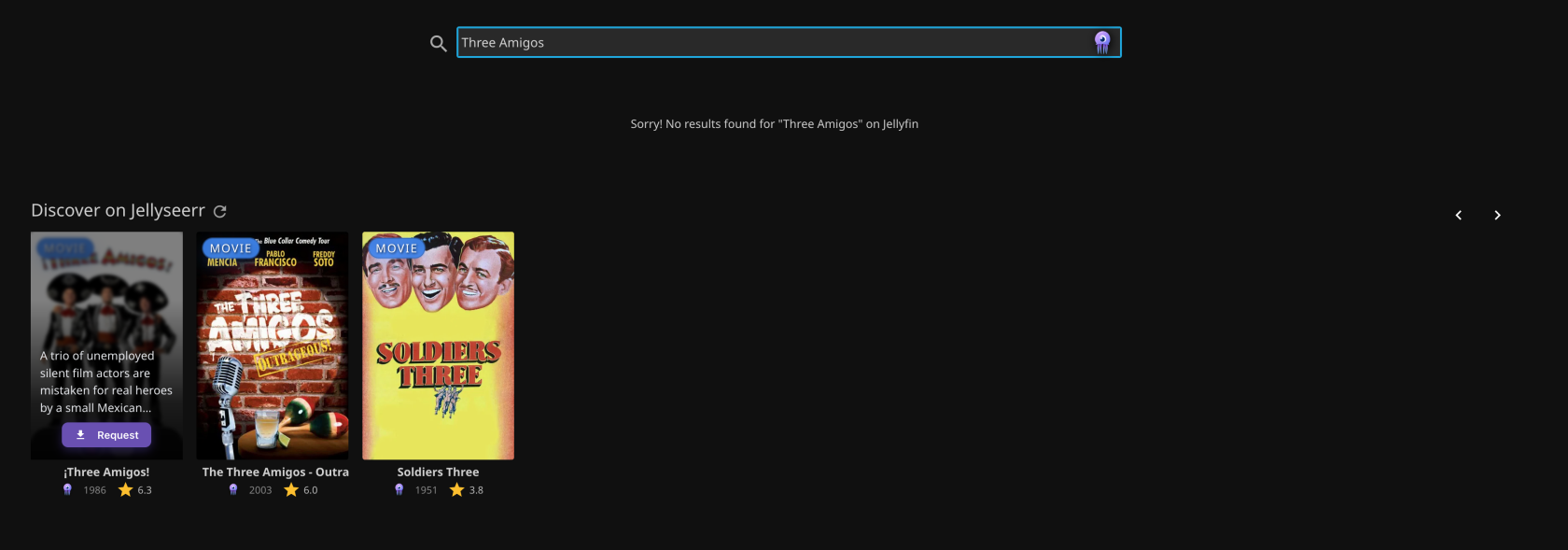
</td><td>[![aa.png](https://bookstack.notflix.pknw1.co.uk/uploads/images/gallery/2026-01/scaled-1680-/aa.png)](https://bookstack.notflix.pknw1.co.uk/uploads/images/gallery/2026-01/aa.png)</td></tr><tr><td>- [ ] You will see a list of possible matches

</td><td>[![ab.png](https://bookstack.notflix.pknw1.co.uk/uploads/images/gallery/2026-01/scaled-1680-/ab.png)](https://bookstack.notflix.pknw1.co.uk/uploads/images/gallery/2026-01/ab.png)</td></tr><tr><td>- [ ] Hover over the desired movie
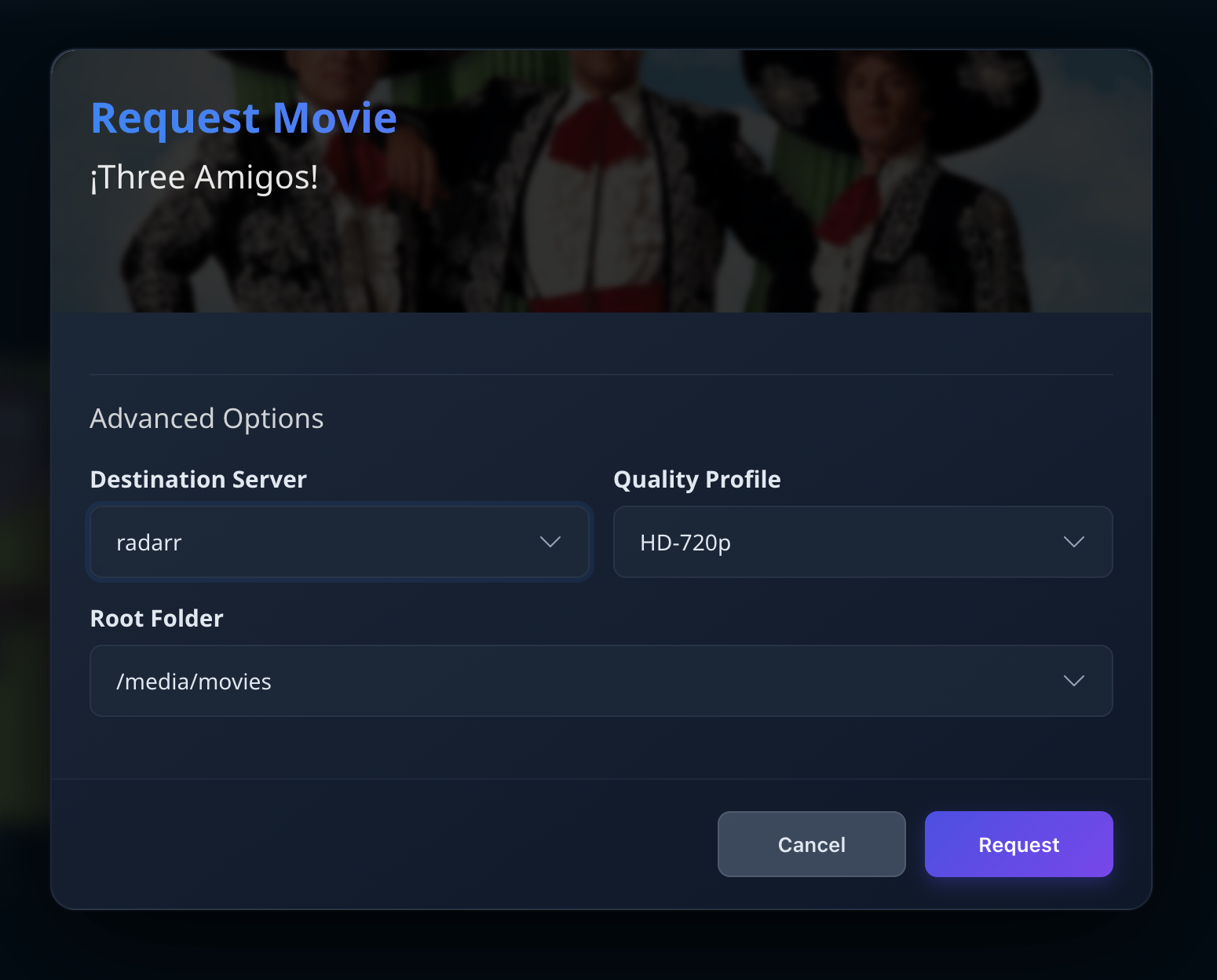
- [ ] Click the **Request** button

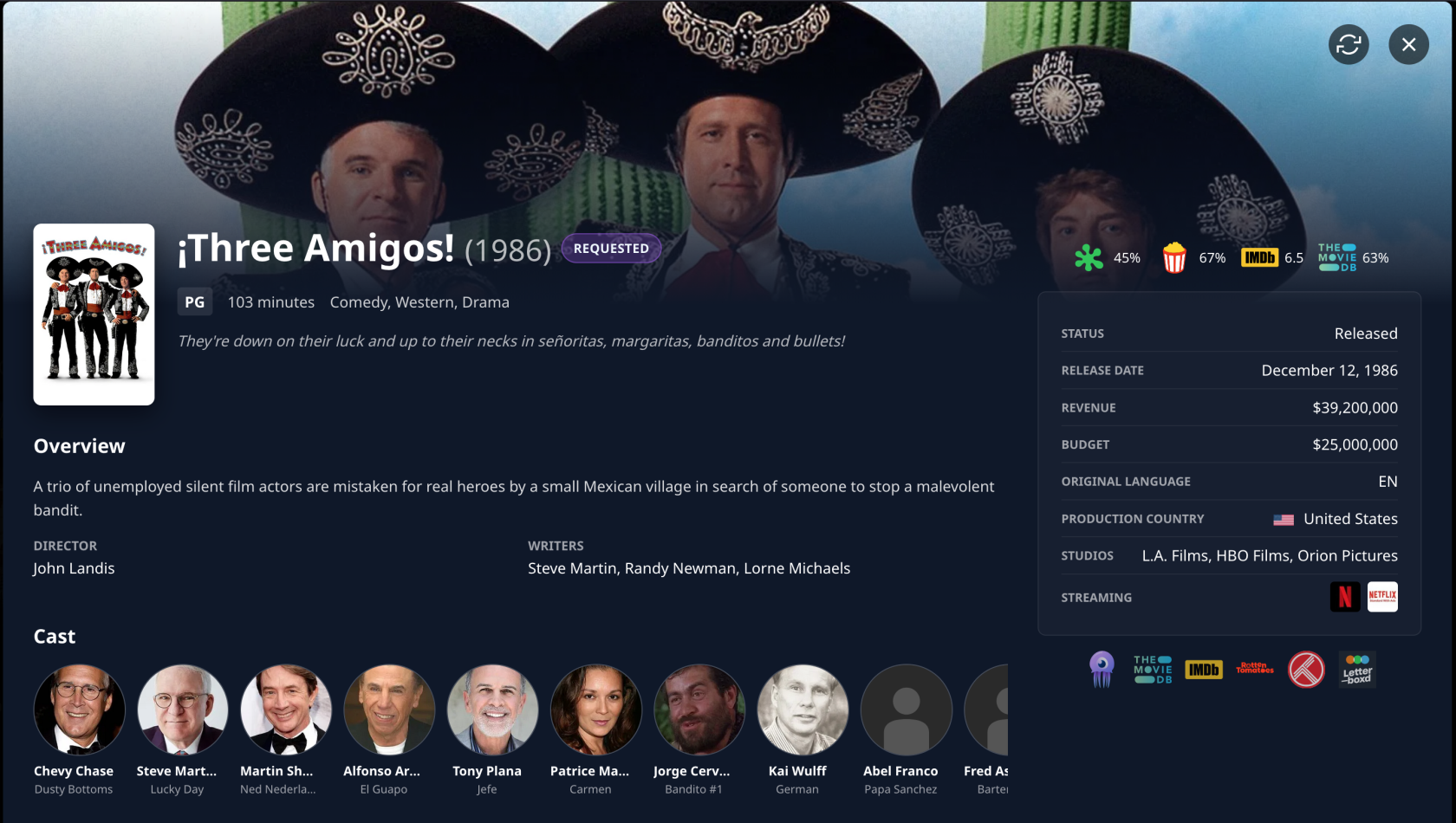
</td><td>[![ac.png](https://bookstack.notflix.pknw1.co.uk/uploads/images/gallery/2026-01/scaled-1680-/ac.png)](https://bookstack.notflix.pknw1.co.uk/uploads/images/gallery/2026-01/ac.png)</td></tr><tr><td>- [ ] Your request is in Jellyfin waiting to be downloaded
- [x] Done

</td><td>[![ad.png](https://bookstack.notflix.pknw1.co.uk/uploads/images/gallery/2026-01/scaled-1680-/ad.png)](https://bookstack.notflix.pknw1.co.uk/uploads/images/gallery/2026-01/ad.png)</td></tr></tbody></table>

</details>