
Secure Web Proxy (ad-blocker)
 |
 |
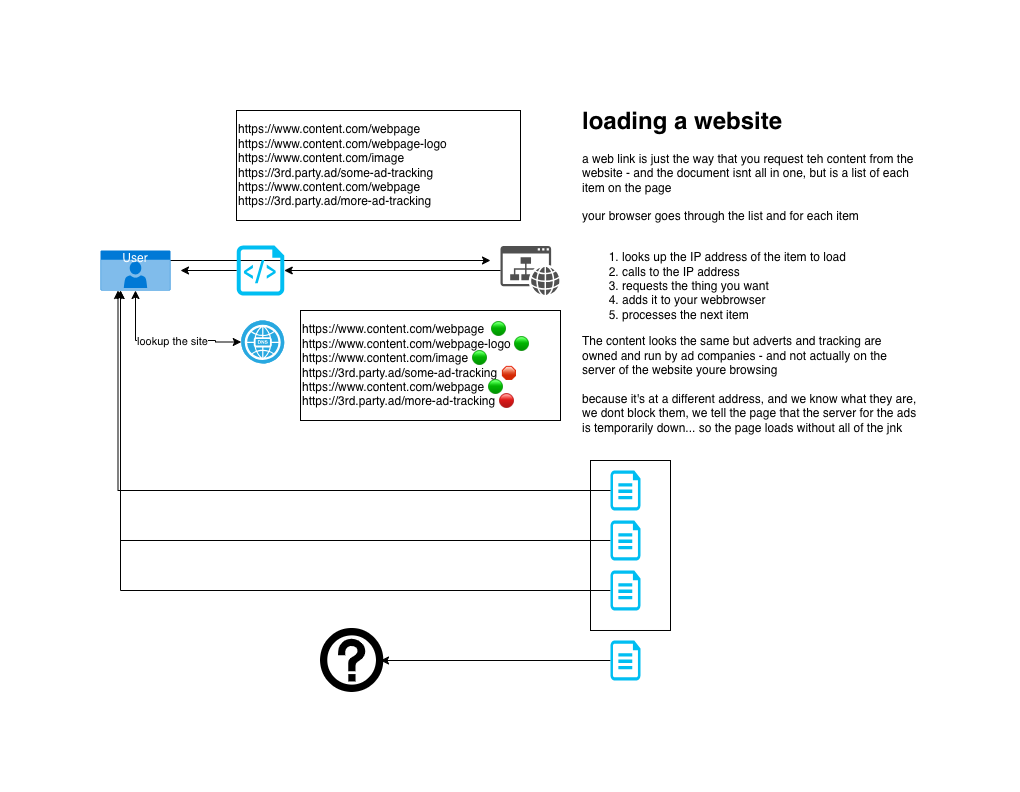
Proxy Details
Proxy Server Address:
notflix.pknw1.co.uk
or use the IP 149.202.72.112
Proxy Server Port:
3128
Automated Proxy Configuration (PAC Setup)
https://notflix.pknw1.co.uk/pac
Your current IP MUST be whitelisted in order to access the proxy - so if you cannot access or switchh networks, go to https://access.pknw1.co.uk and login - this will automatically update your IP for the proxy
Configuring Proxy Settings
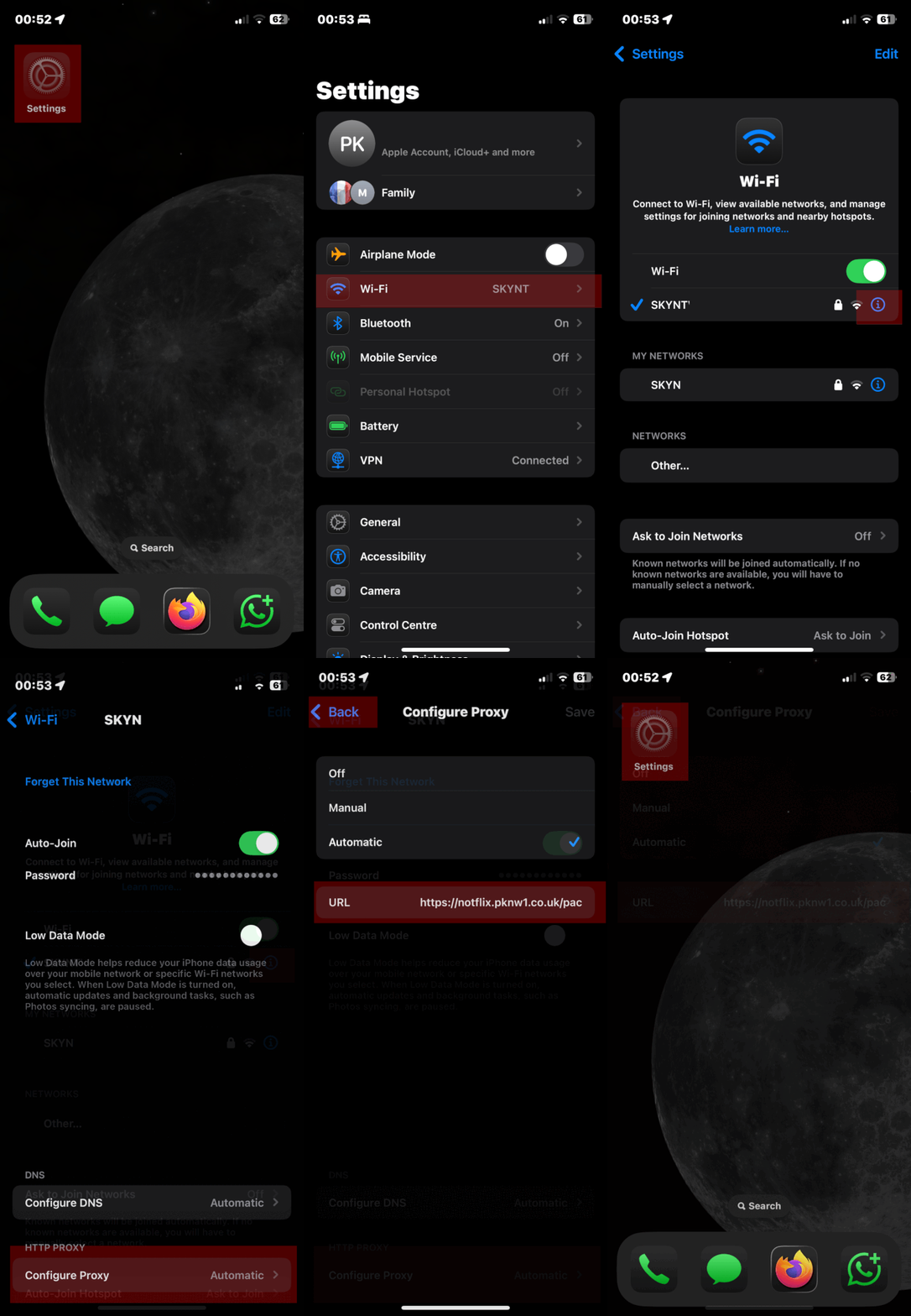
iPhone iOS Guide
Android Device Setup
Open your Settings app.
Tap on Network & Internet, then choose Wi-Fi.
Select the Wi-Fi network you’re connected to (or plan to connect).
Tap the Edit (pencil) icon next to the network name.
Scroll down and expand Advanced options.
Change Proxy from “None” to “Proxy Auto-Config”.
Enter https://notflix.pknw1.co.uk/pac
Hit Save to apply the settings.
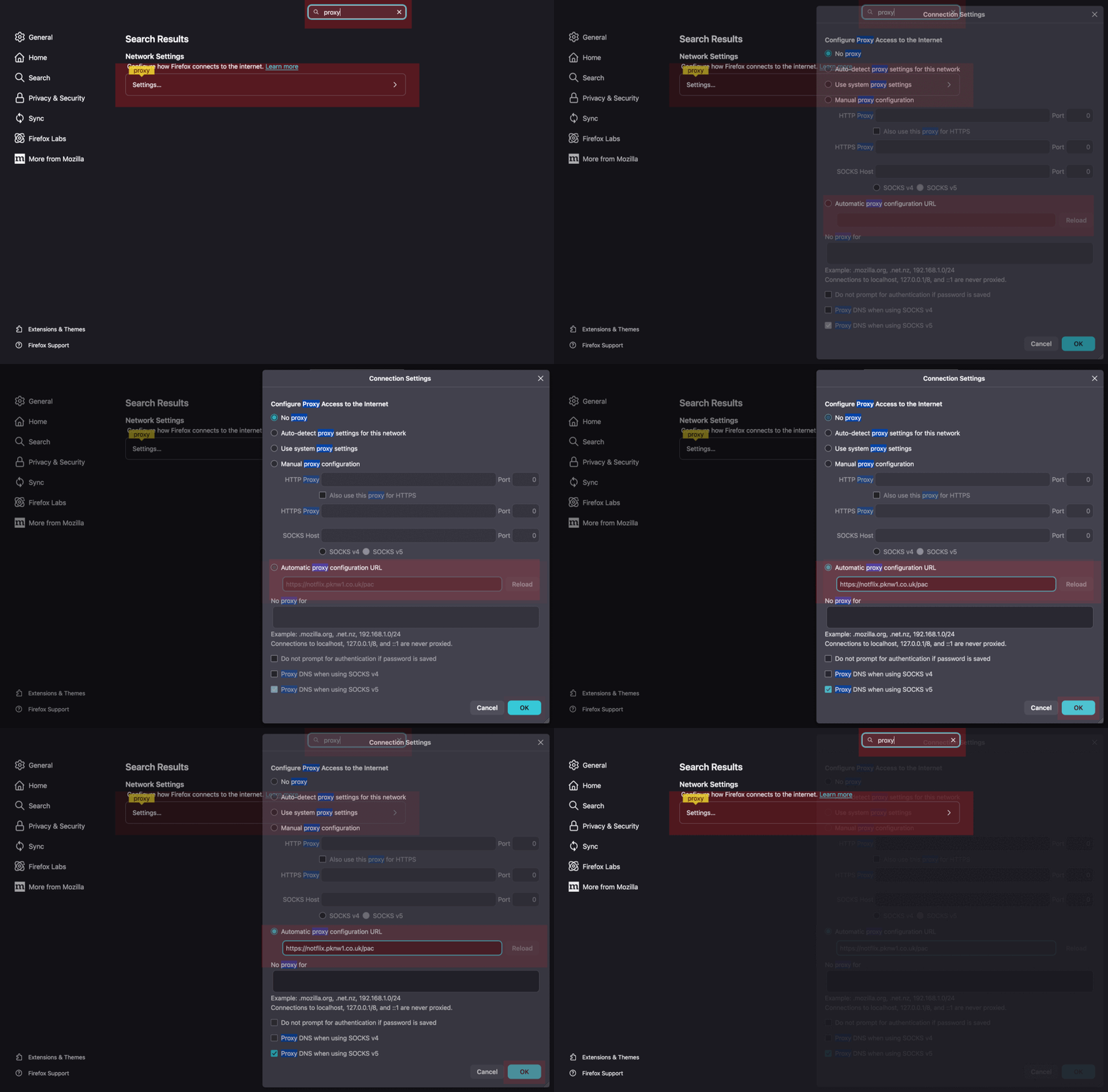
Firefox Browser
Open Preferences
Search for Proxy
Enter the PAC URL under Automatic proxy configuration URL
Hit OK to apply
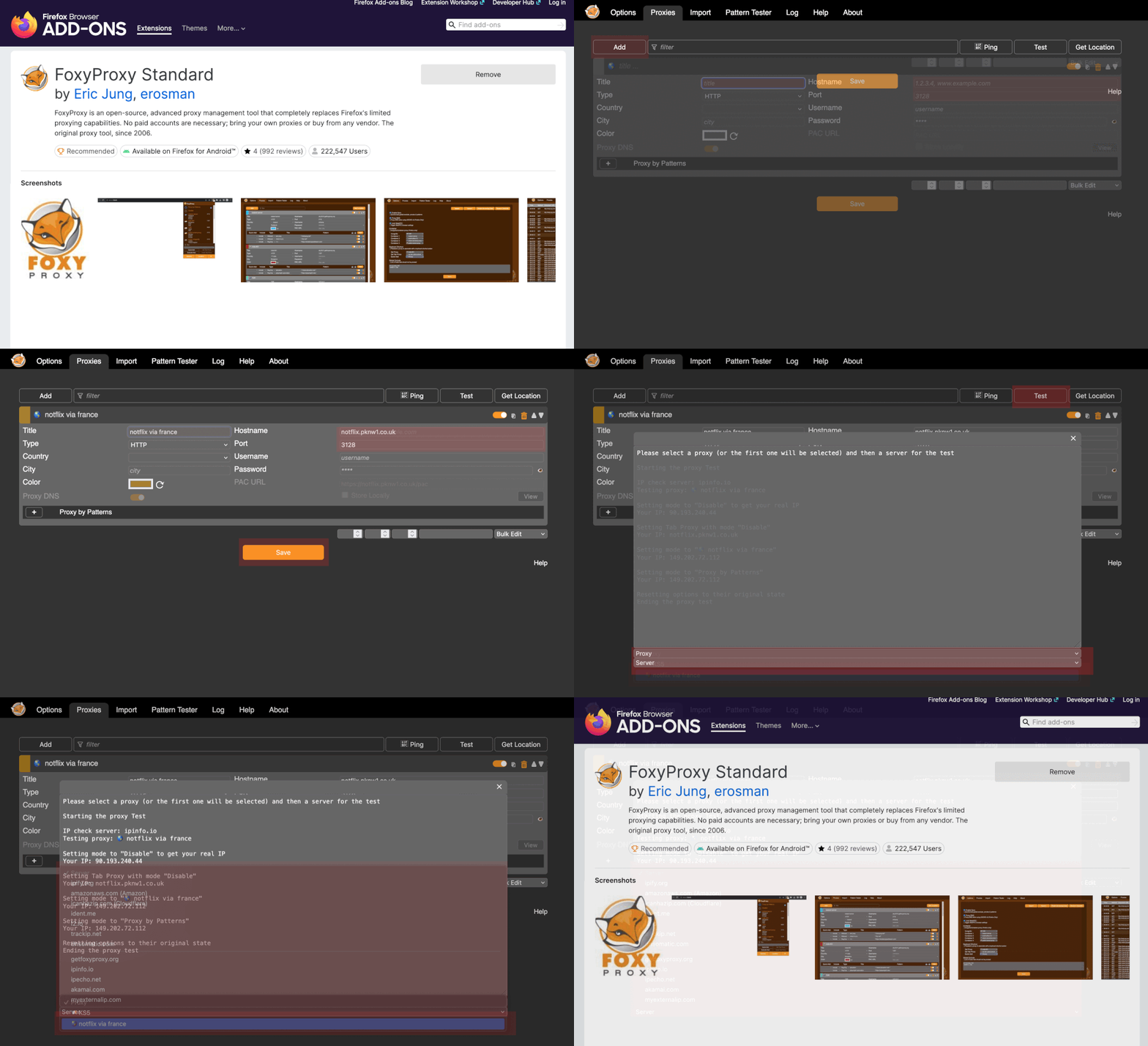
FoxyProxy Firefox Extension (recommended)
Google Chrome Browser
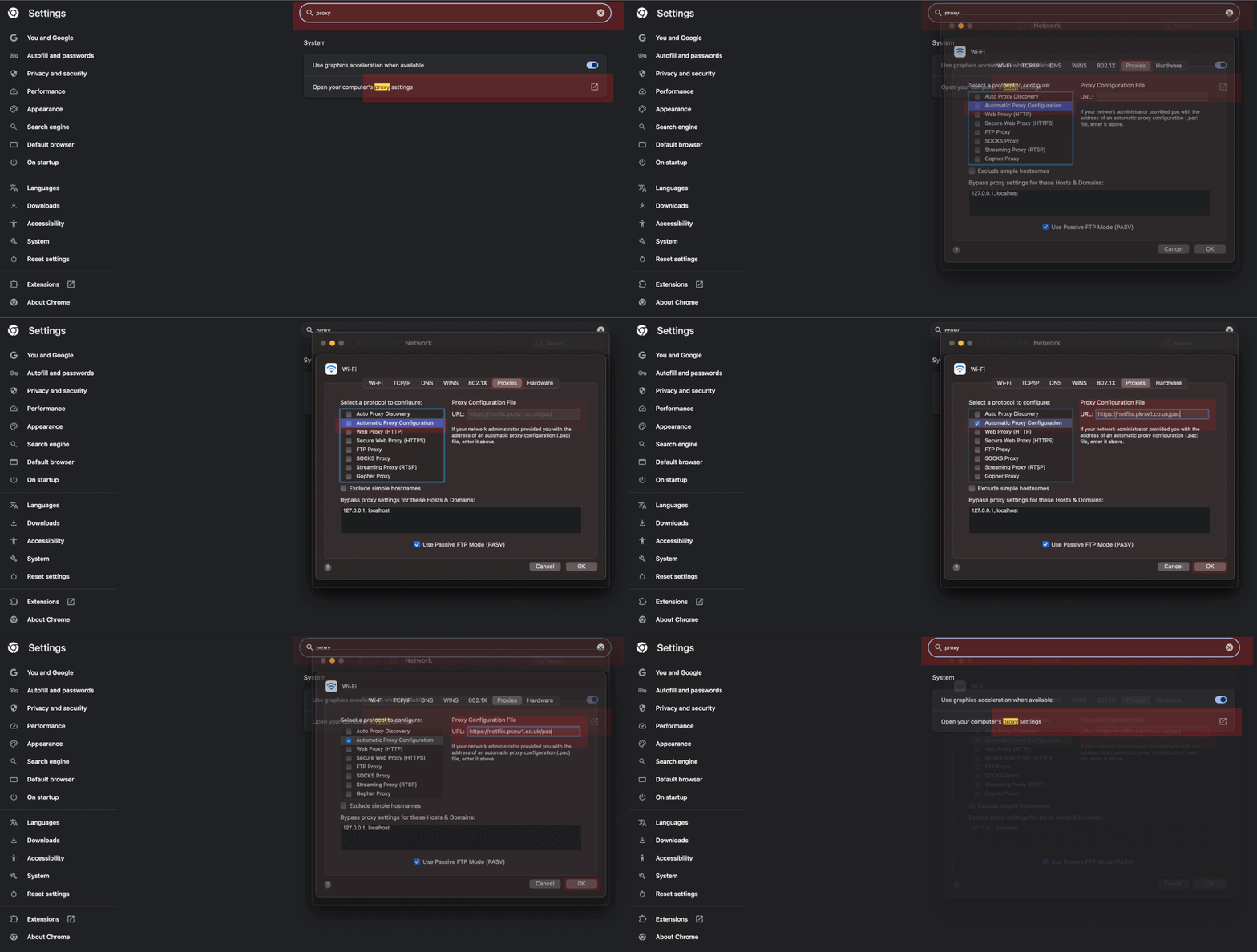
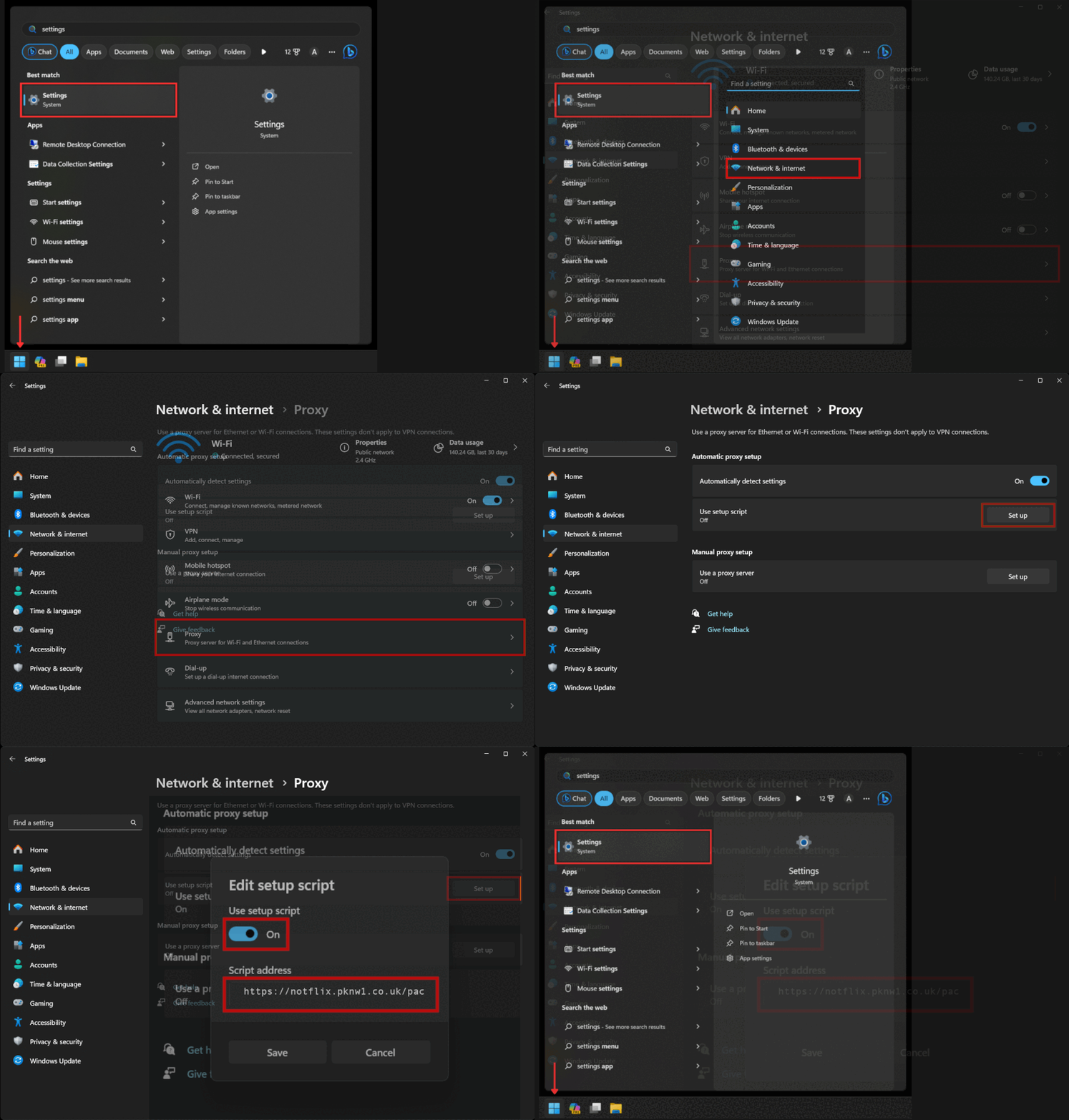
Windows 11 Guide
about:preferences#general:~:text=Network%20Settings
https://brightdata.com/blog/how-tos/set-up-proxy-in-windows-11