Secure Web Proxy (ad-blocker)

Squid-proxy-1252x999-optimized-1016429947.png pi-hole.png

    Secure connection from you to my server in France
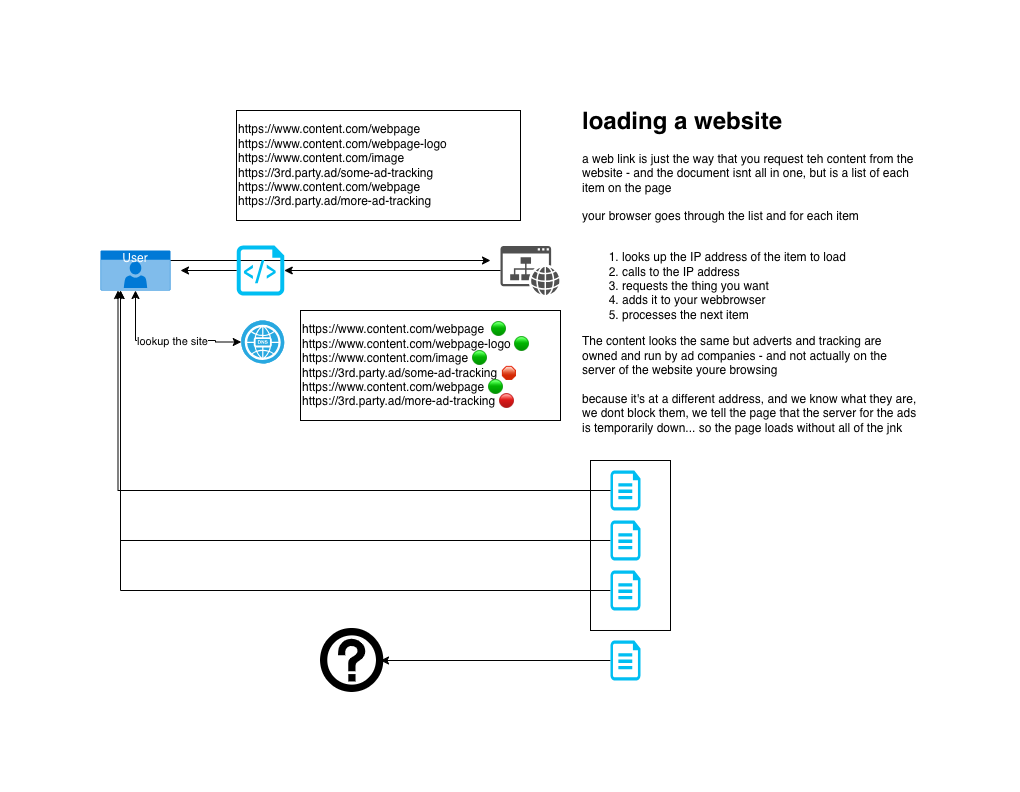
    Built-in Ad-Blocking 
      Blocks 95% of Ads
      Blocks 99% of web tracker
      Unblocks any UK restricted sites
      Switch on or off as you need
      Untitled Diagram.png

      Proxy Details

      Proxy Server Address:
      notflix.pknw1.co.uk
      or use the IP 149.202.72.112
      Proxy Server Port:
      3128
      Automated Proxy Configuration (PAC Setup)
      https://notflix.pknw1.co.uk/pac

      Your current IP MUST be whitelisted in order to access the proxy - so if you cannot access or switchh networks, go to https://access.pknw1.co.uk and login - this will automatically update your IP for the proxy


      Configuring Proxy Settings


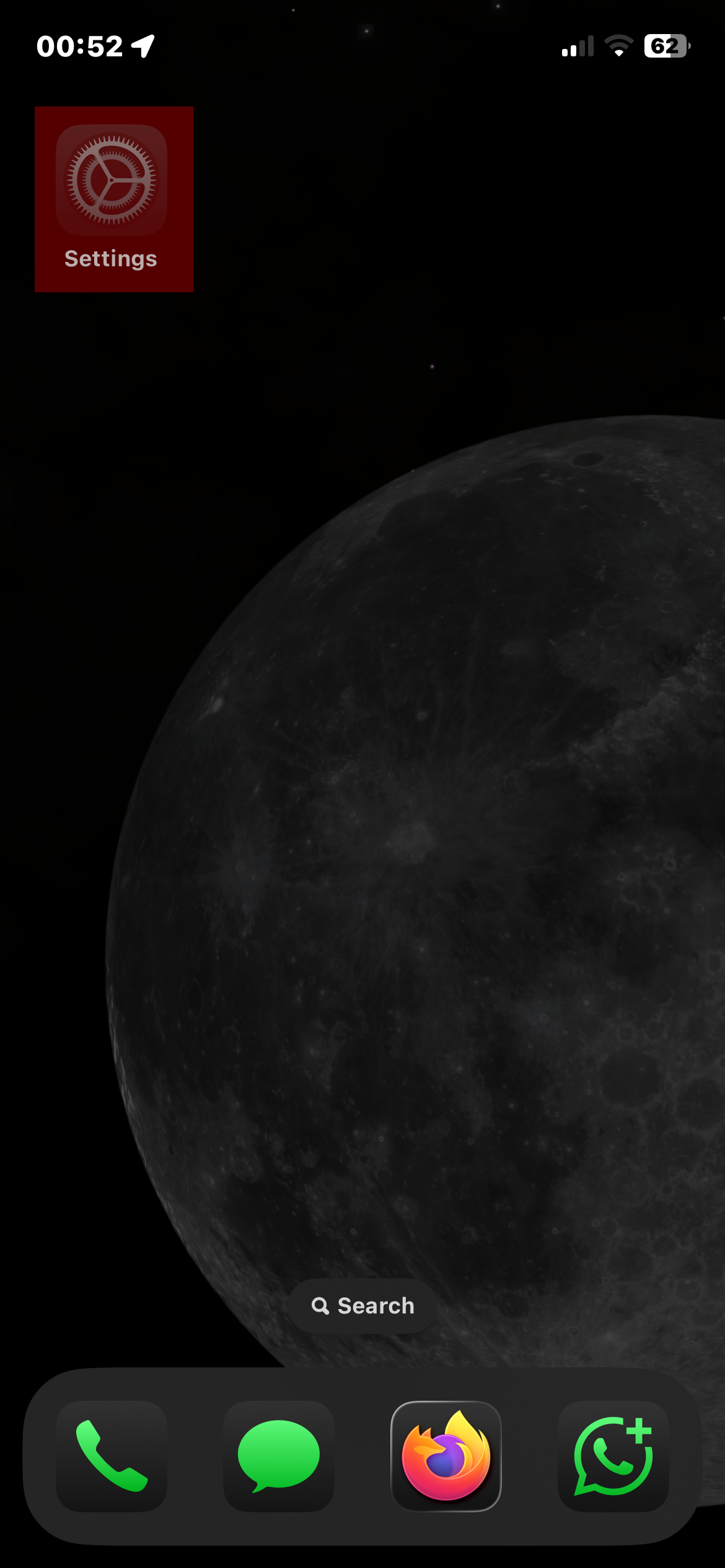
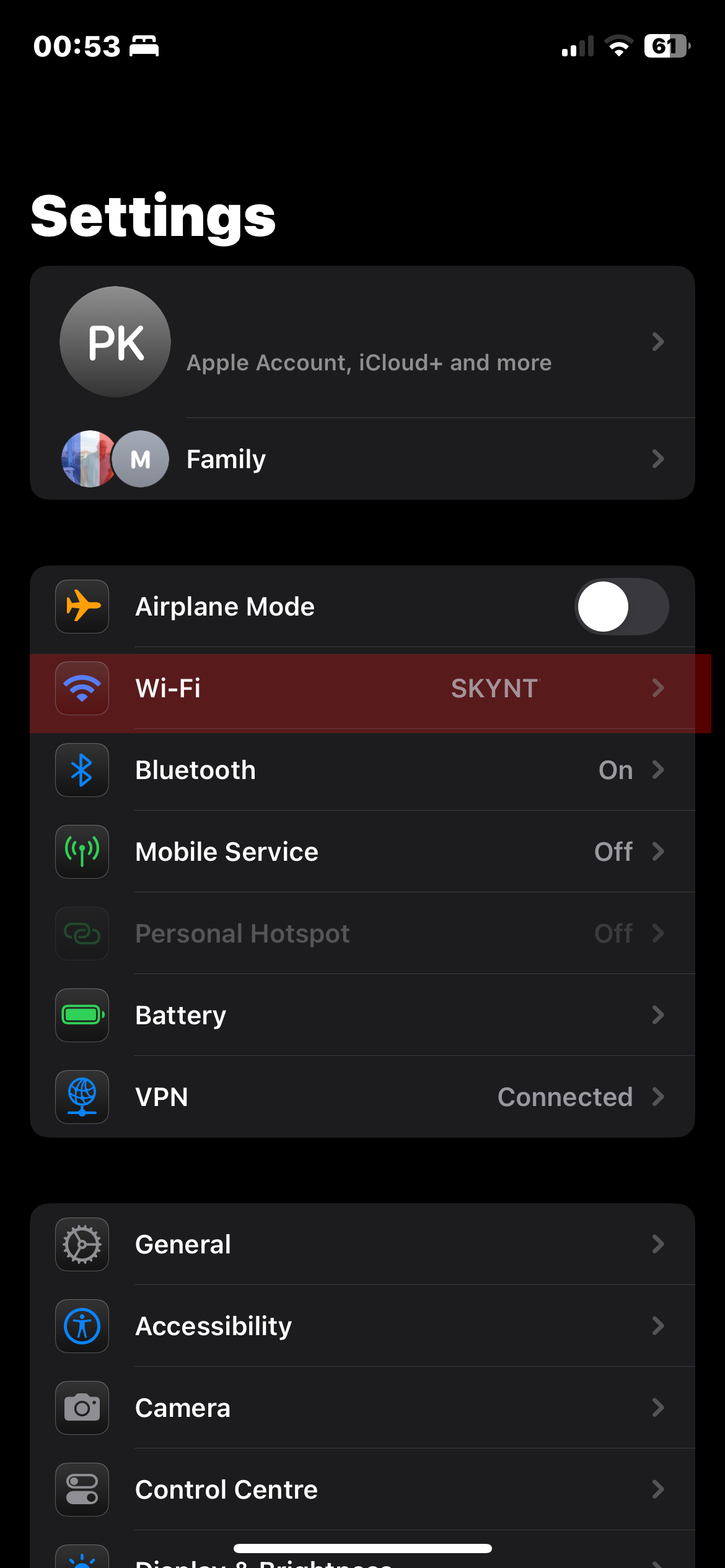
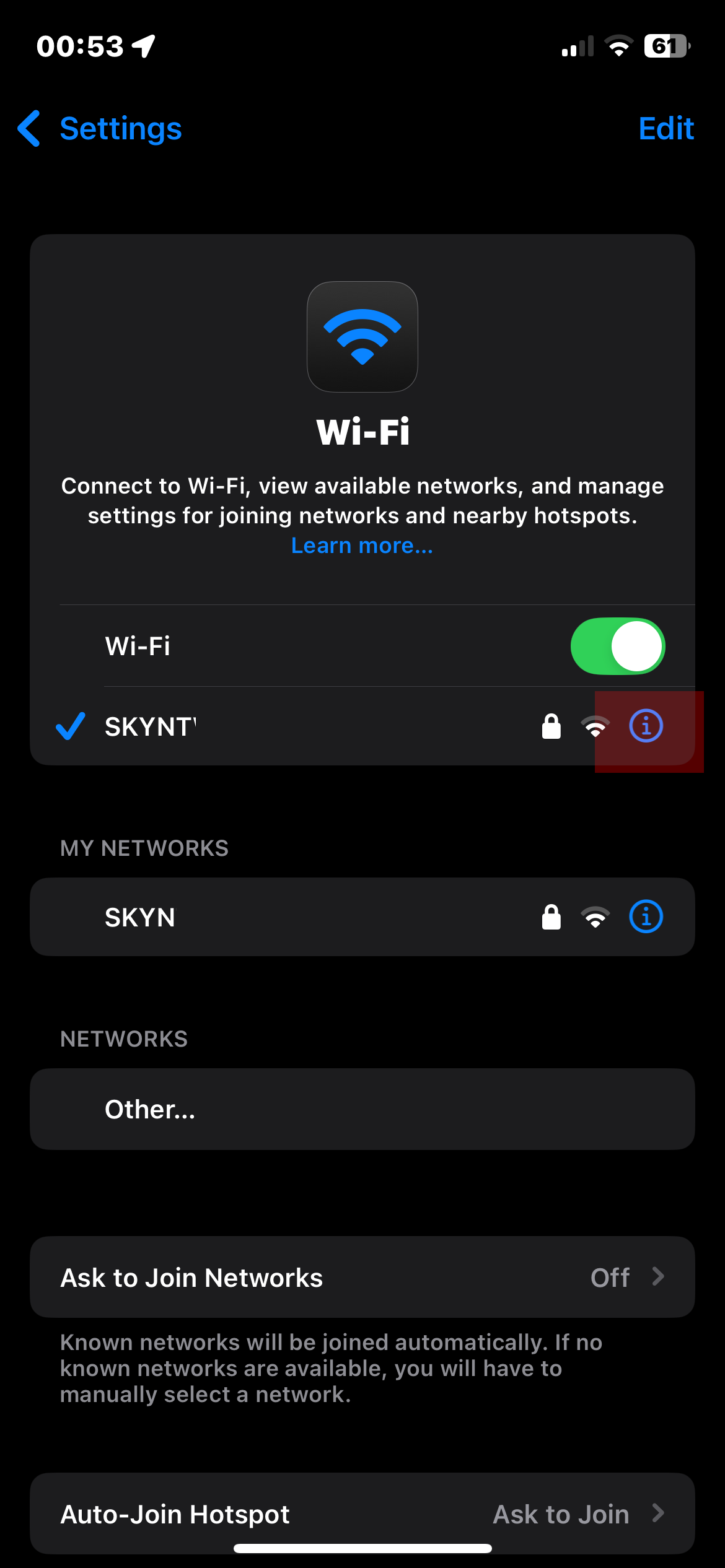
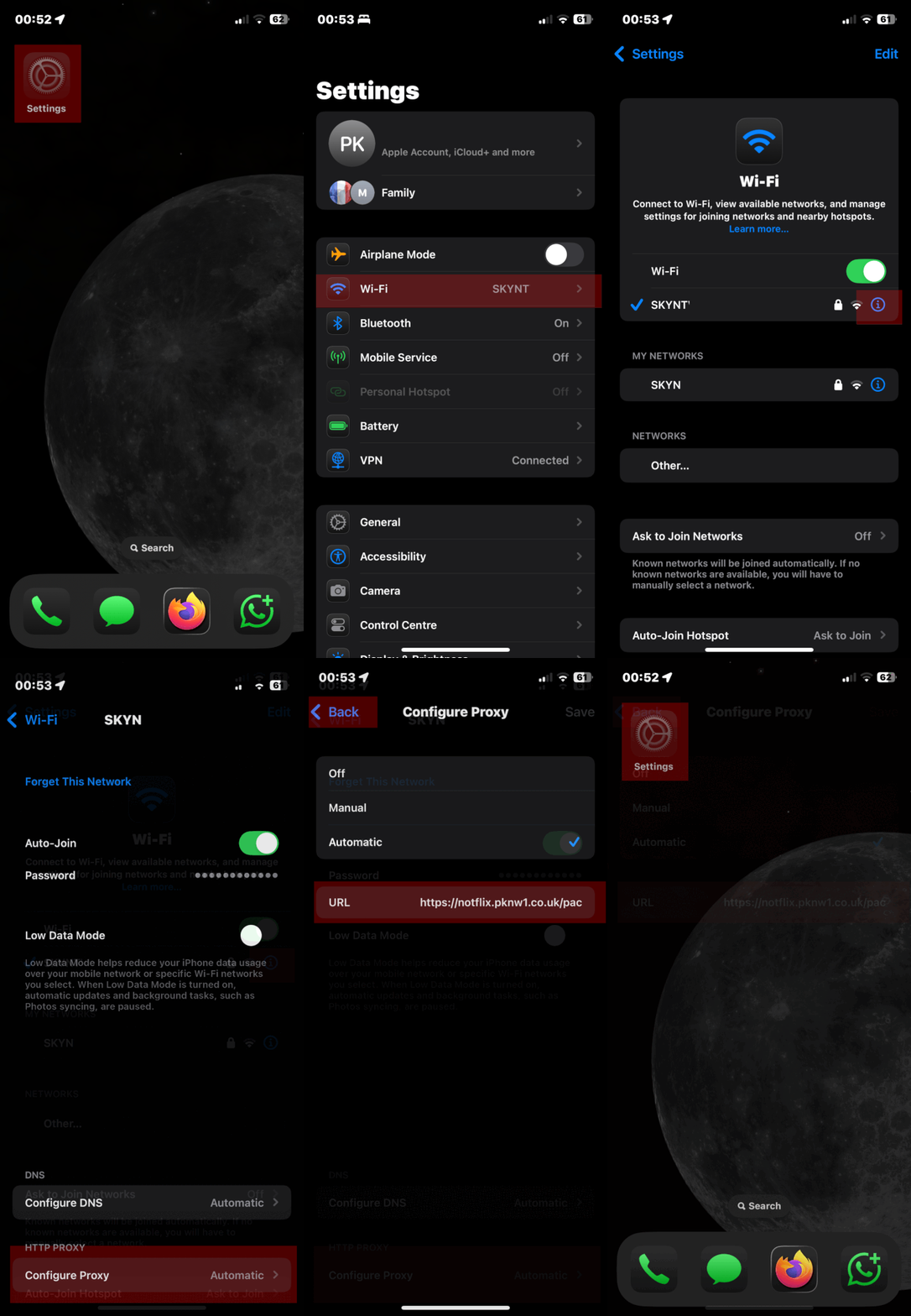
      iPhone iOS Guide


      1.png

      2.png

      3.PNG


      ezgif-halfsize.gif


      Android Device Setup
      • Open your Settings app.
      • Tap on Network & Internet, then choose Wi-Fi.
      • Select the Wi-Fi network you’re connected to (or plan to connect).
      • Tap the Edit (pencil) icon next to the network name.
      • Scroll down and expand Advanced options.
      • Change Proxy from “None” to “Proxy Auto-Config”.
      • Enter https://notflix.pknw1.co.uk/pac
      • Hit Save to apply the settings.
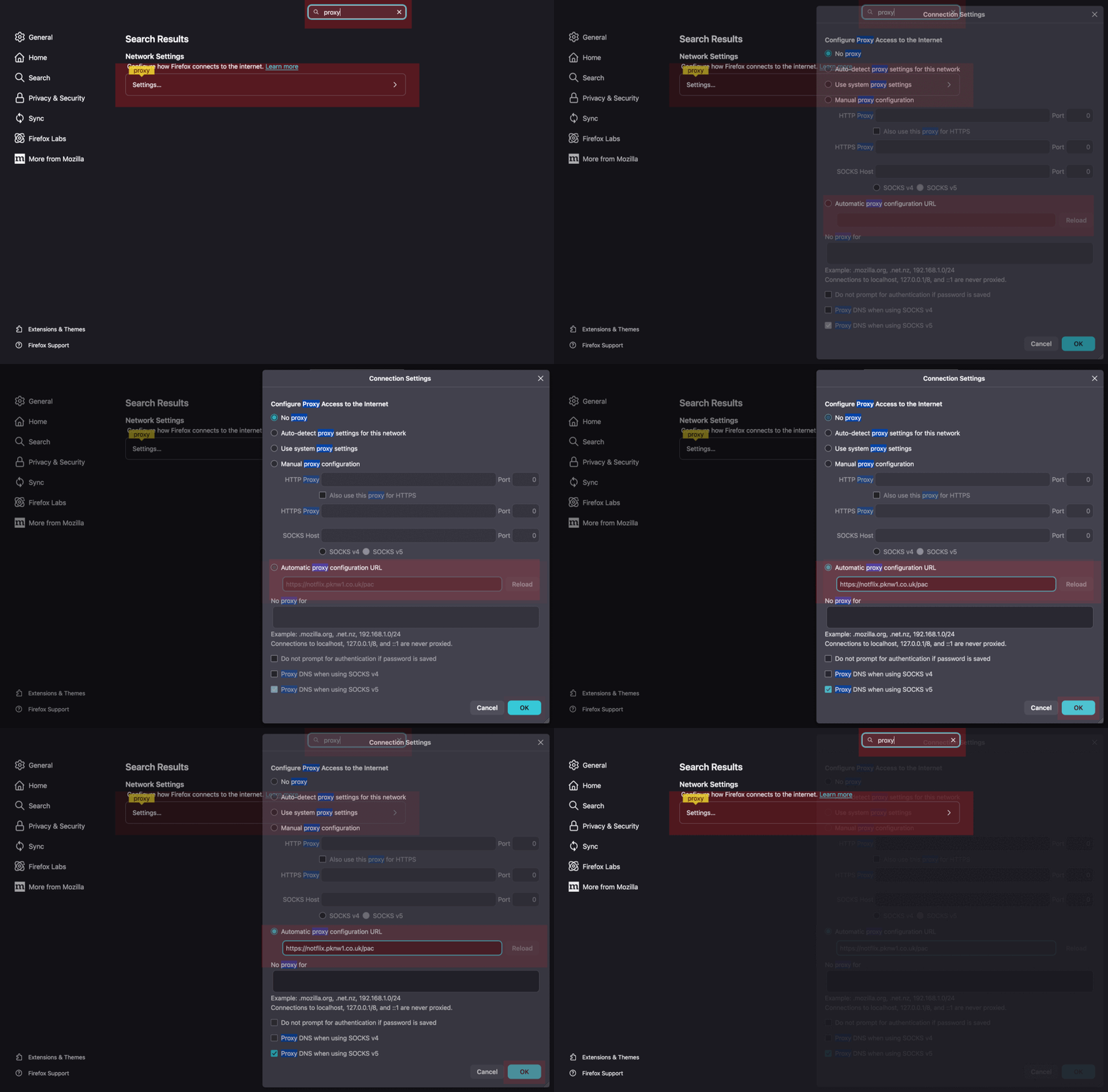
      Firefox Browser
      • Open Preferences
      • Search for Proxy
      • Enter the PAC URL under Automatic proxy configuration URL
      • Hit OK to apply
      ezgif-half.gif
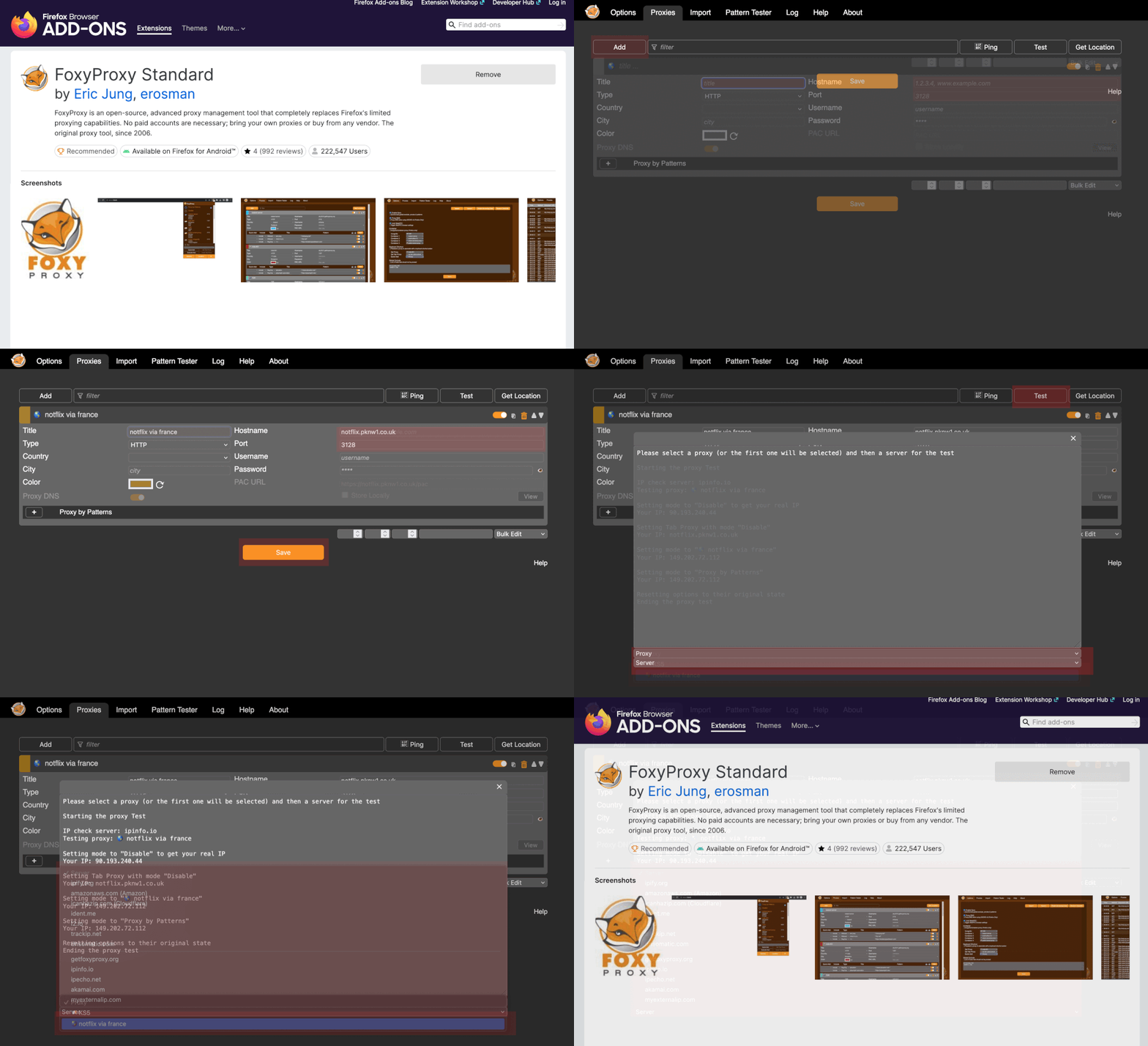
      FoxyProxy Firefox Extension (recommended)


      ezgif-half.gif
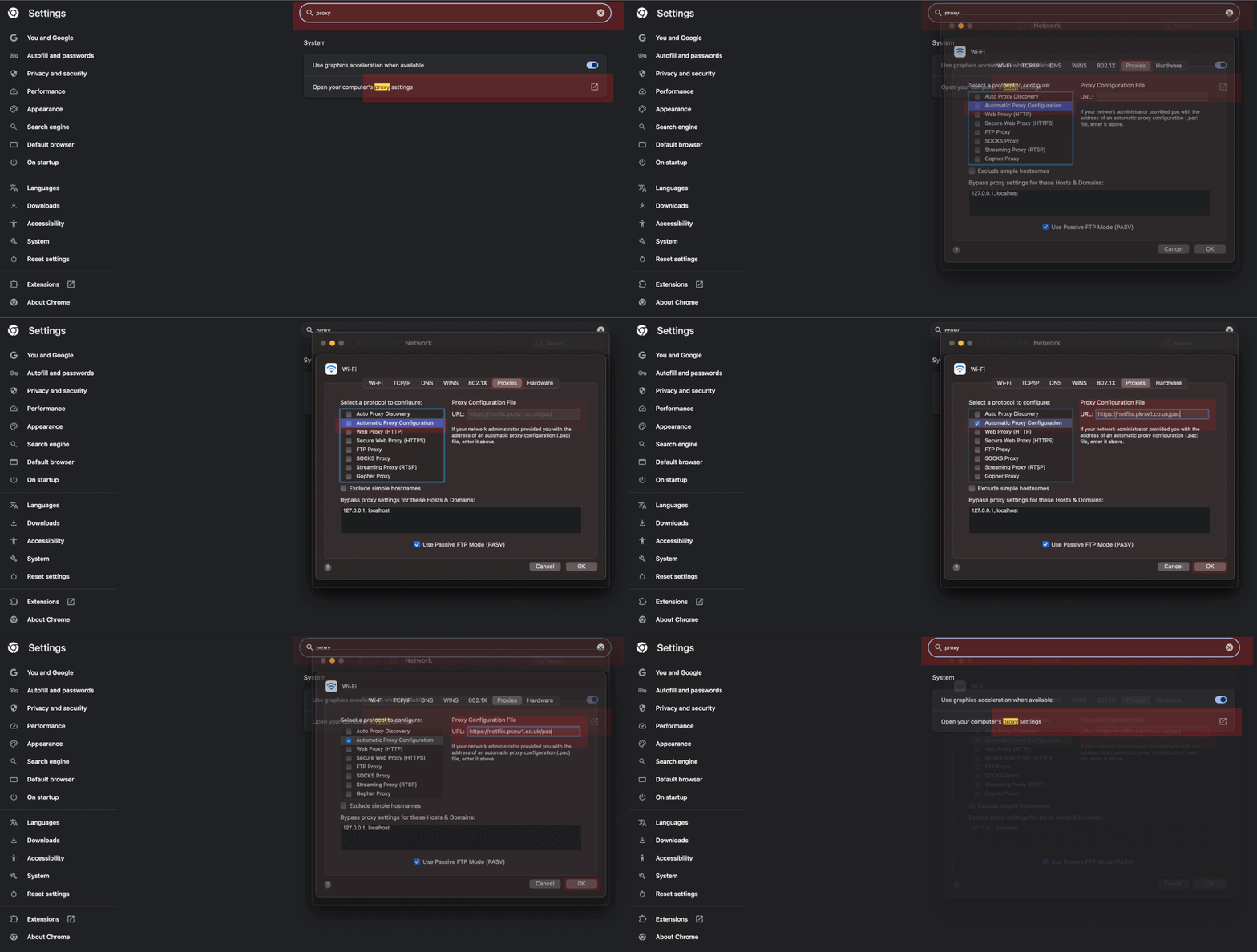
      Google Chrome Browser

      chrome://settings/

      ezgif-half.gif
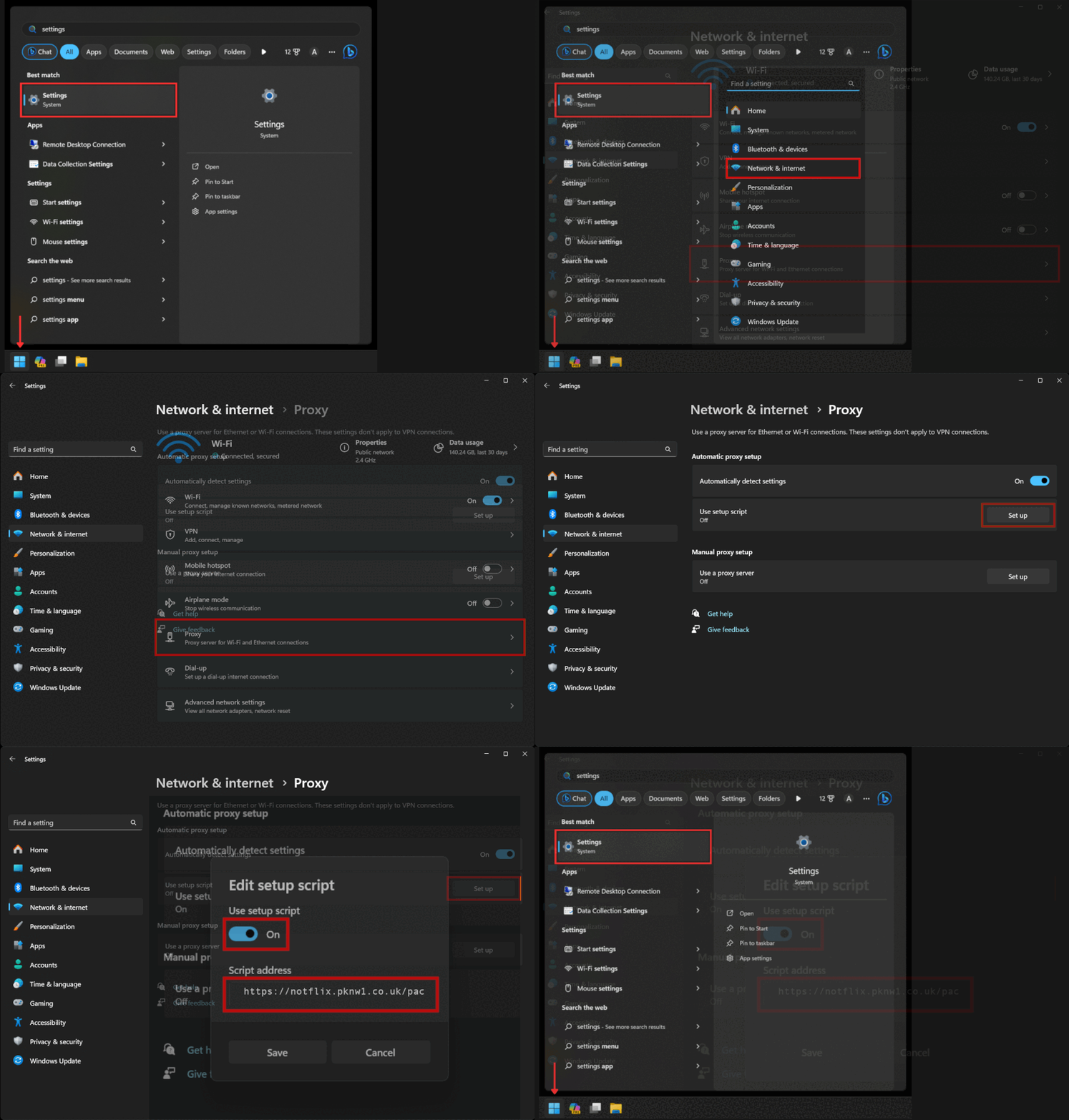
      Windows 11 Guide
      ezgif-half.gif