Secure Web Proxy (ad-blocker)
 |
 |
-
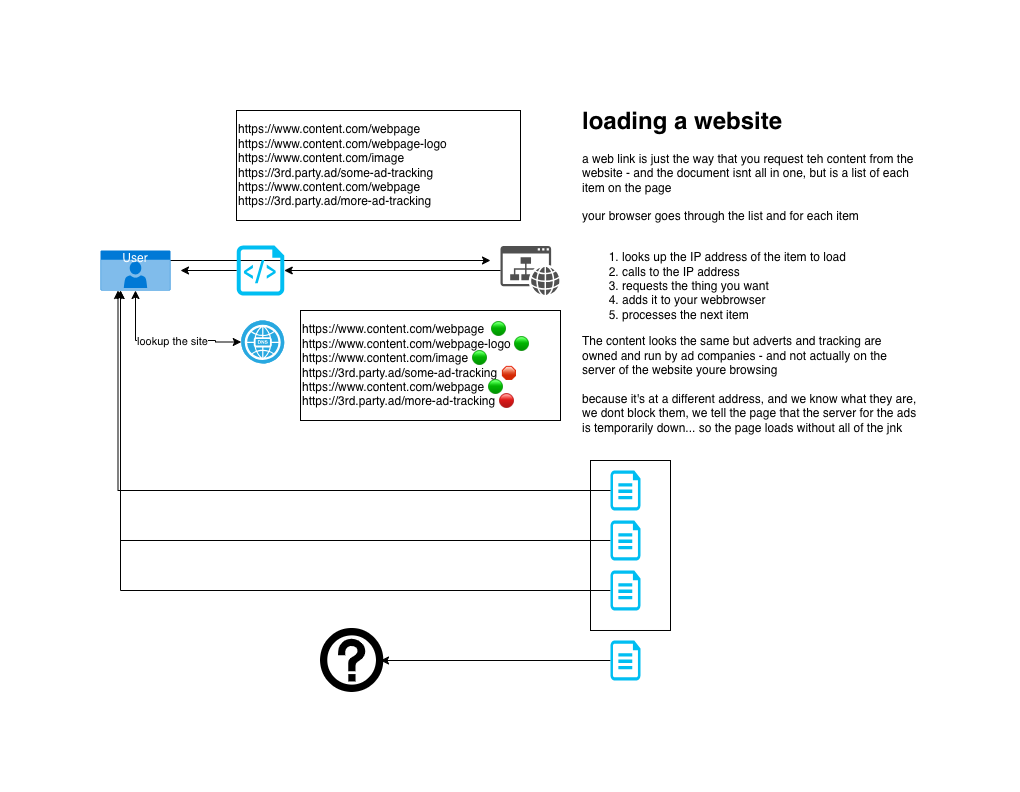
Secure connection from you to my server in France
-
Built-in Ad-Blocking
-
Blocks 95% of Ads
-
Blocks 99% of web tracker
-
-
Unblocks any UK restricted sites
-
Switch on or off as you need
Proxy Details
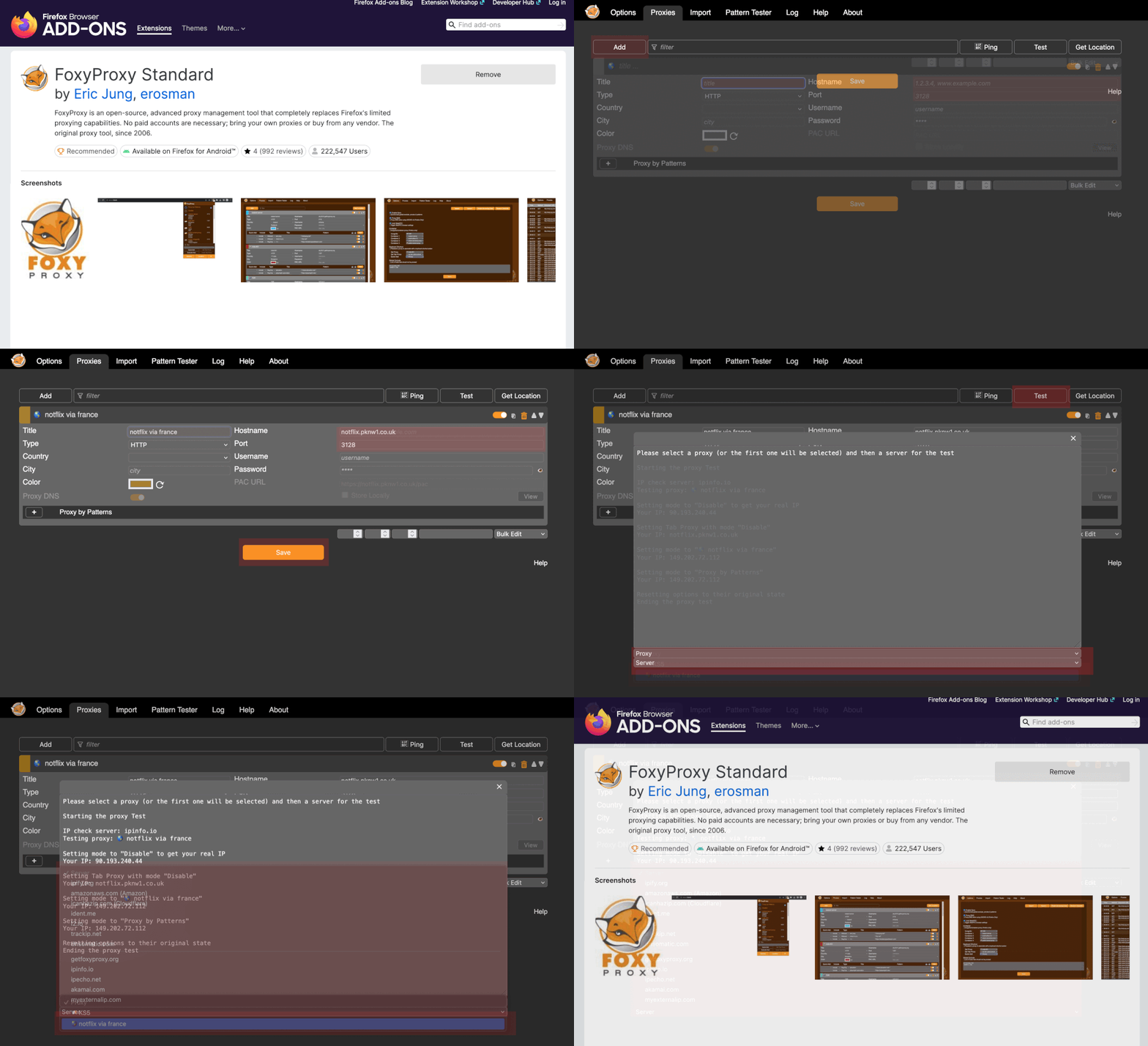
Proxy Server Address: |
notflix.pknw1.co.ukor use the IP 149.202.72.112 |
Proxy Server Port: |
3128 |
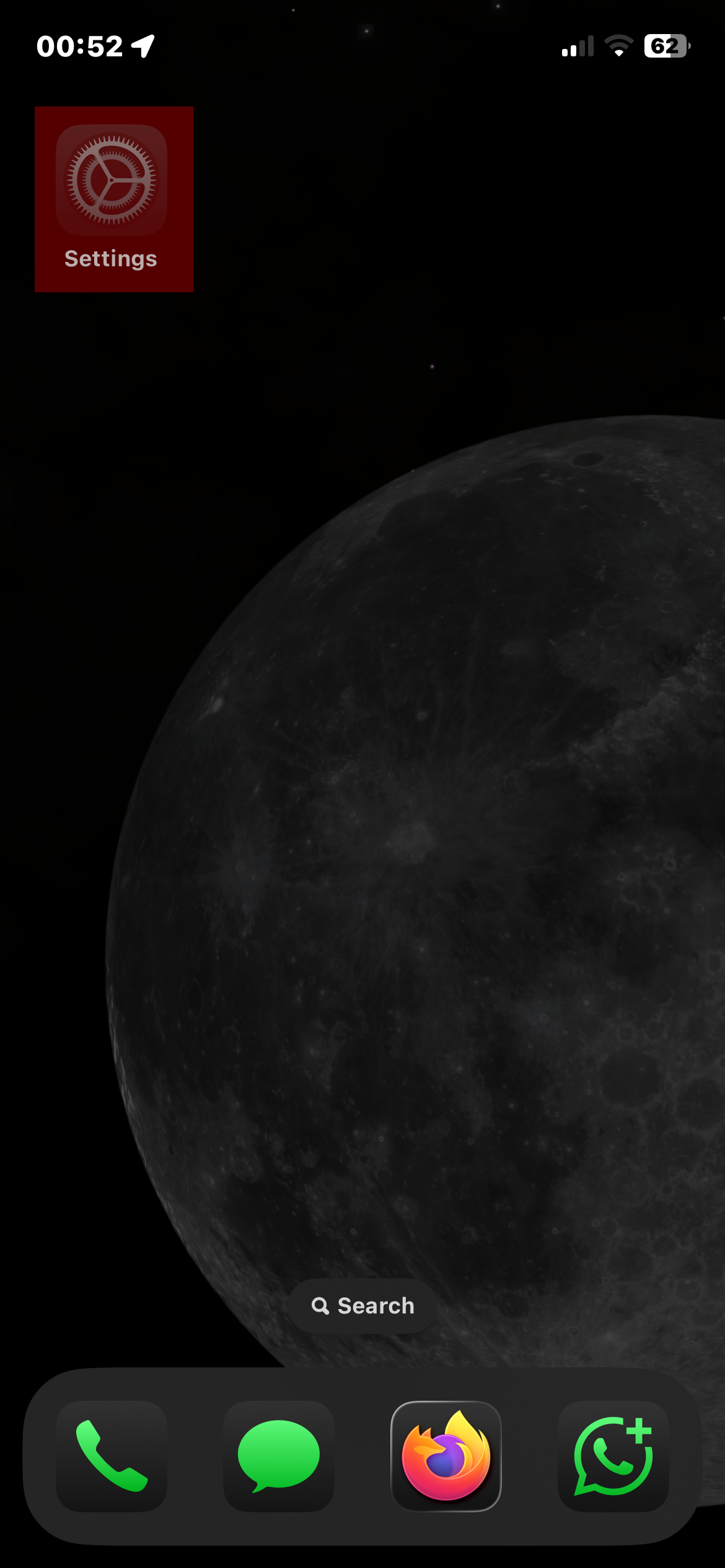
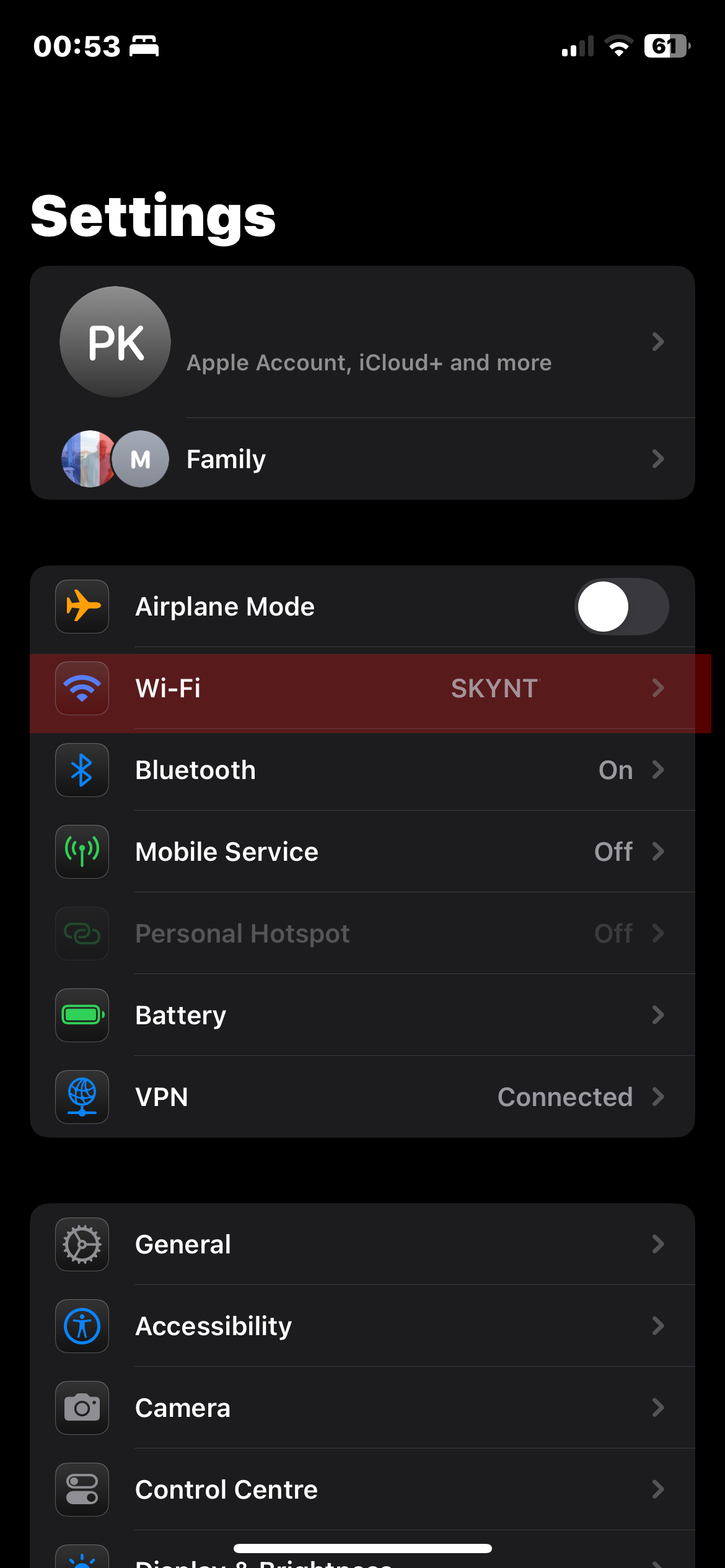
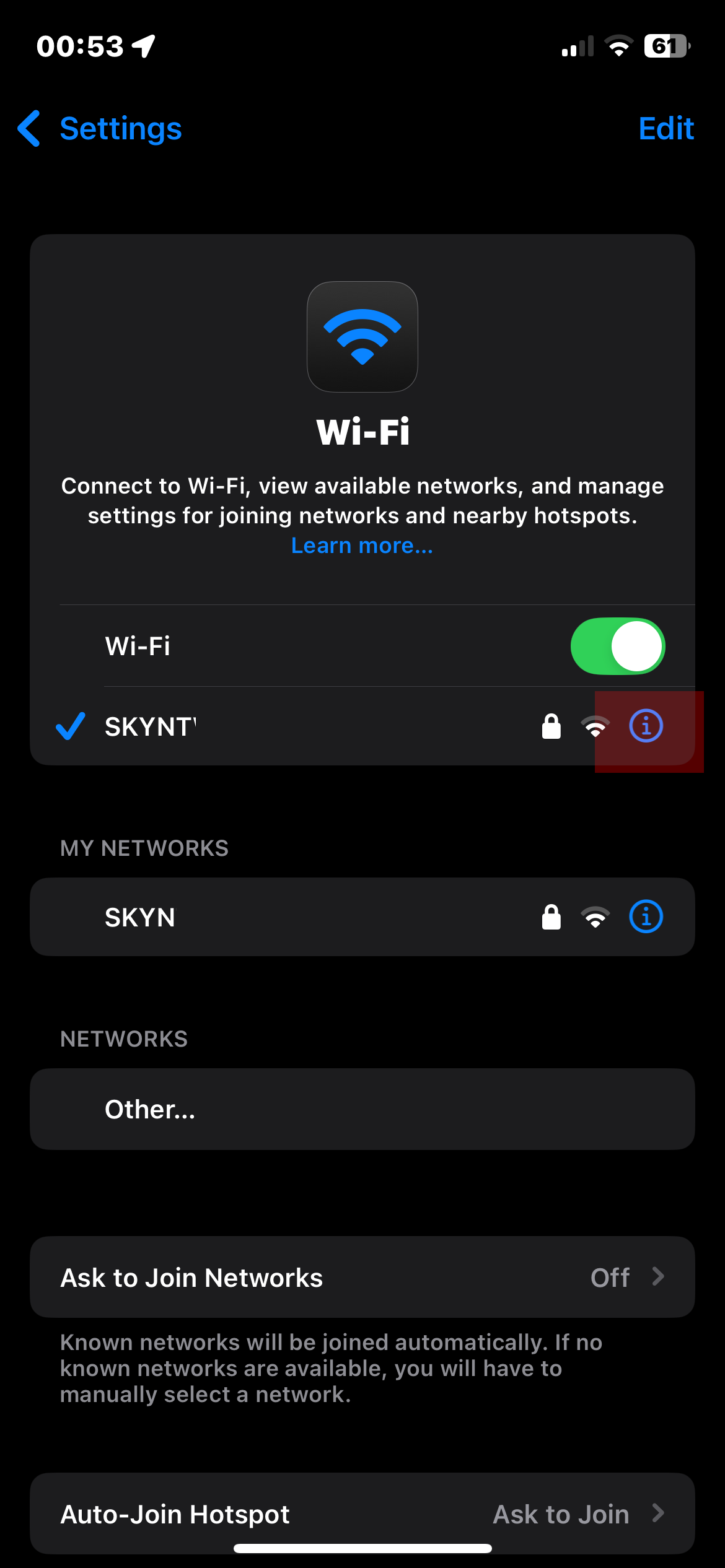
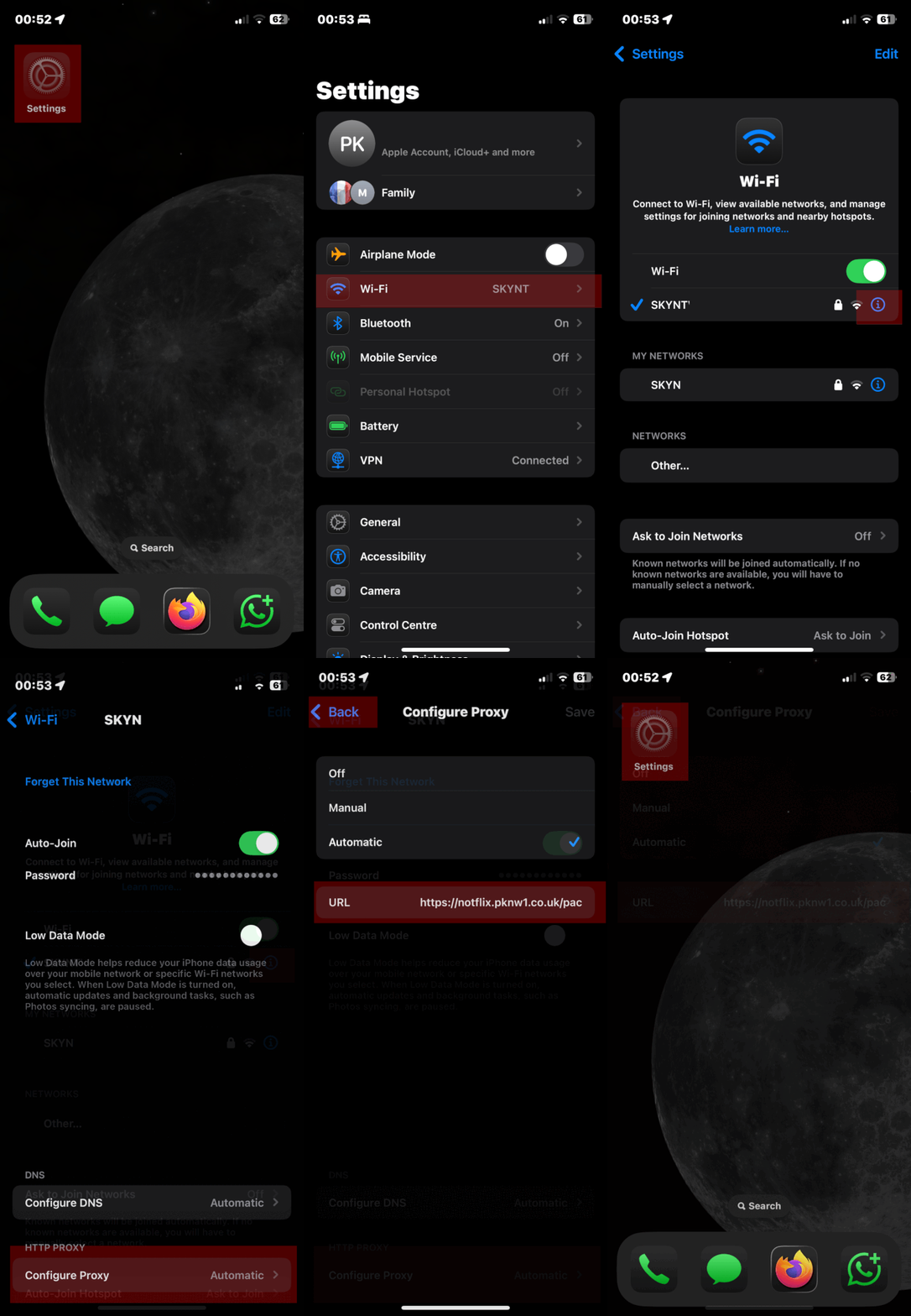
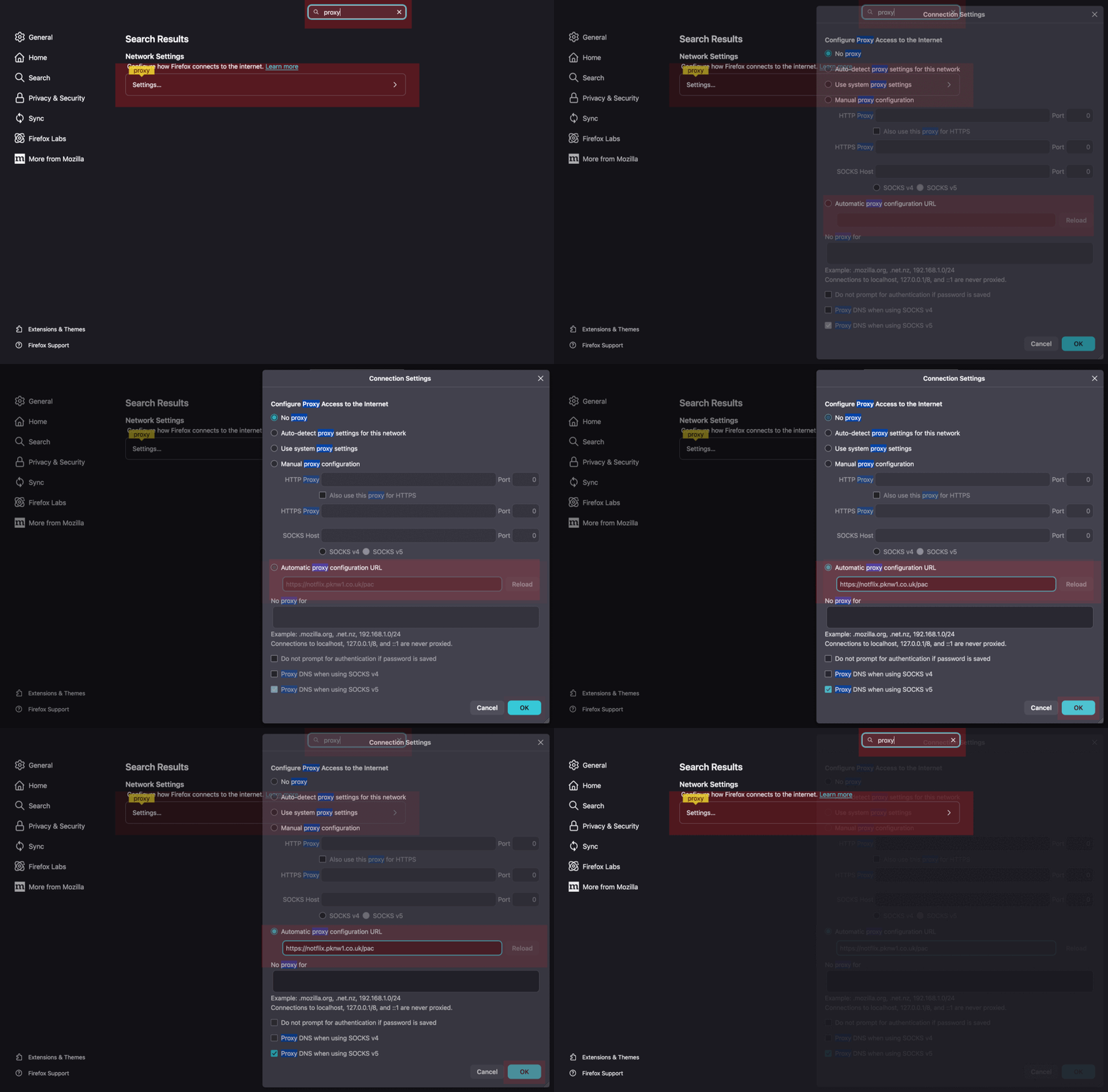
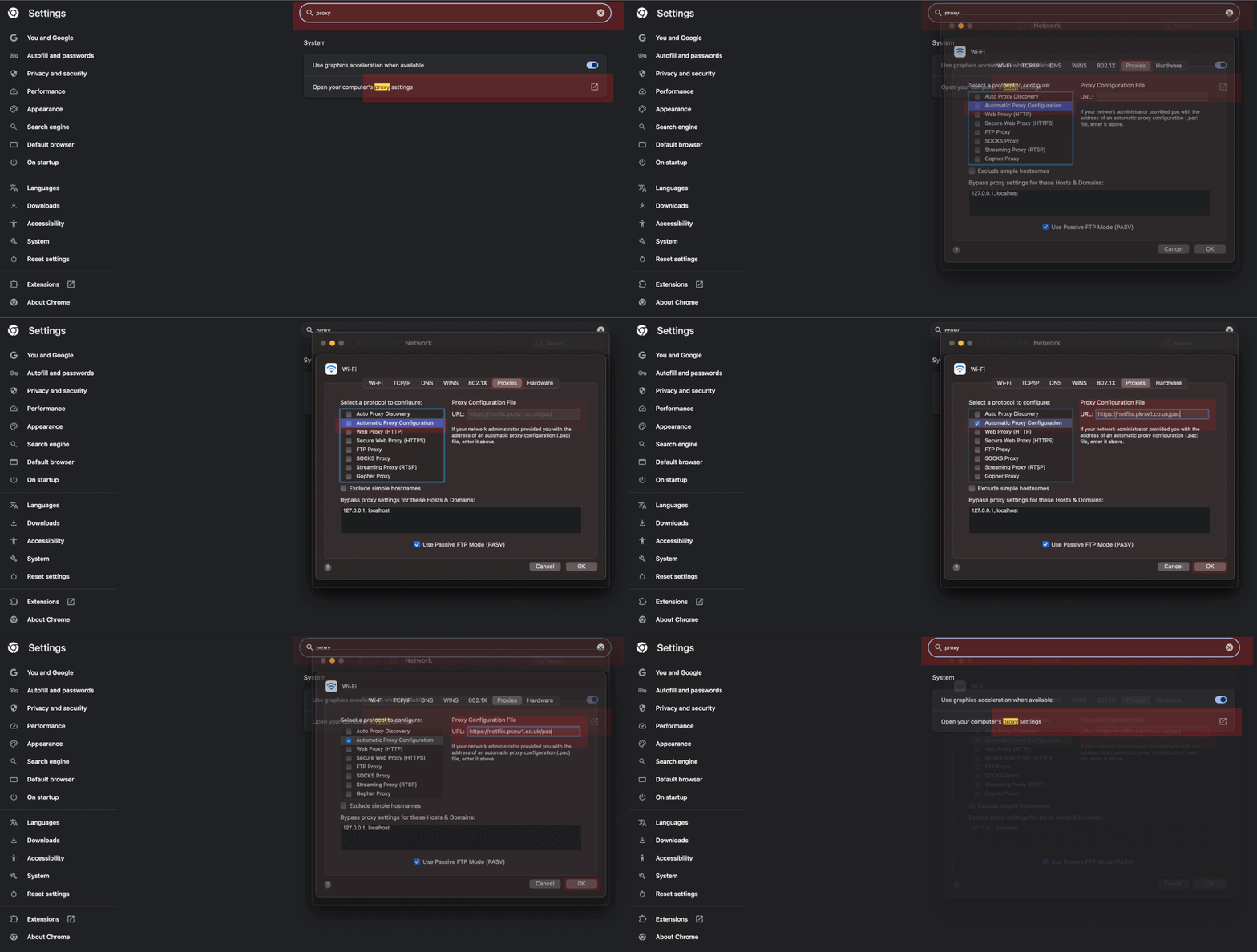
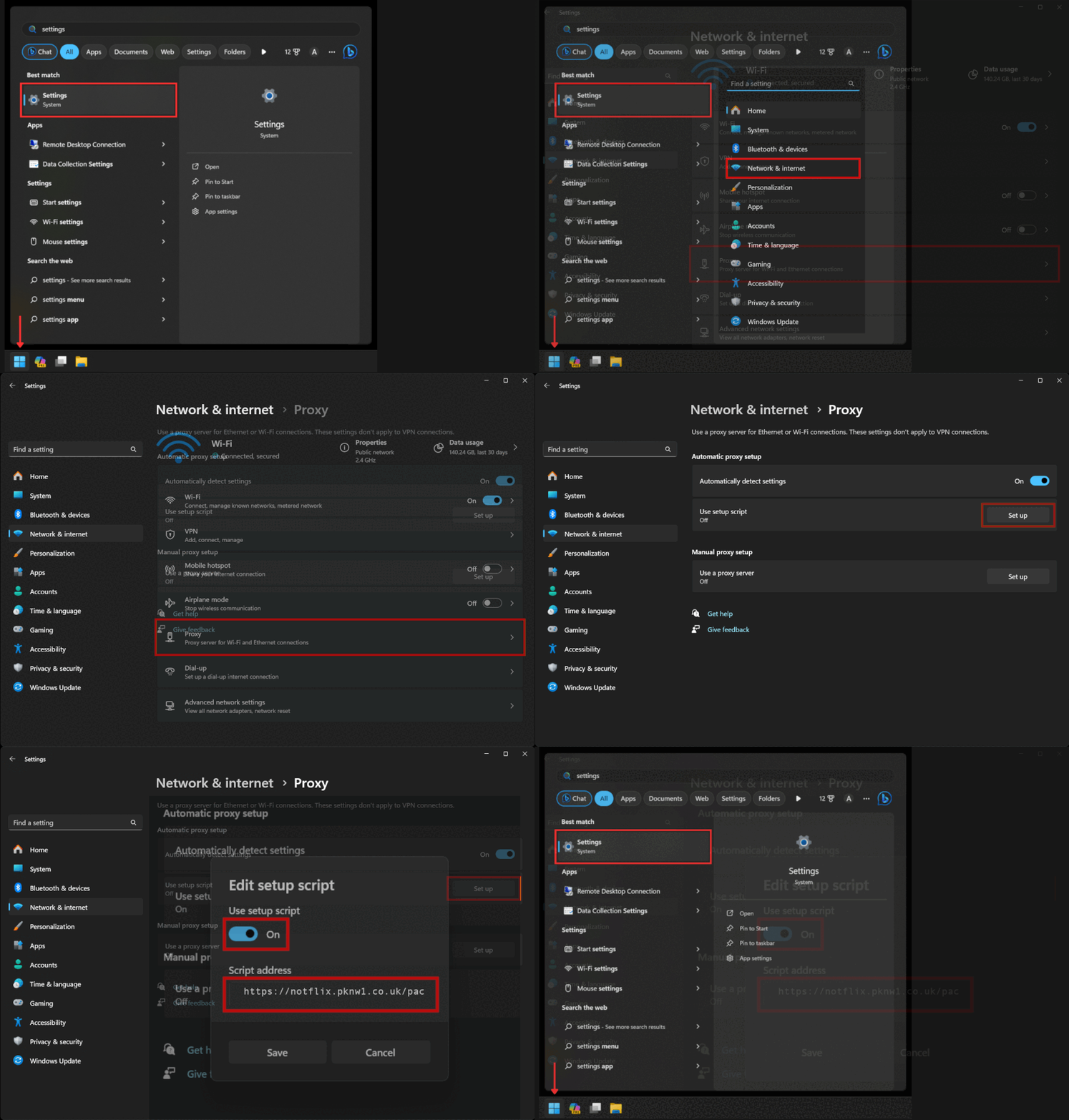
Automated Proxy Configuration (PAC Setup) |
https://notflix.pknw1.co.uk/pac |
Your current IP MUST be whitelisted in order to access the proxy - so if you cannot access or switchh networks, go to https://access.pknw1.co.uk and login - this will automatically update your IP for the proxy
Configuring Proxy Settings
iPhone iOS Guide
|
|
Android Device Setup |
|
Firefox Browser
|
 |
FoxyProxy Firefox Extension (recommended)
|
 |
Google Chrome Browser |
 |
Windows 11 Guide |
 |